

Community and Enterprise
¹ The GPUs page comes with the enterprise build and doesn’t need a separate license feature. The community edition collects GPU metrics with the GPU collector.
Enterprise features
Role-based access control
Custom role groups, direct user permissions, and per-feature API key access
Audit Logs
Who changed what across your organisation
Alerts
Notify your team when important changes happen
Notification connectors
Slack, email, webhook, Discord, PagerDuty, Opsgenie, and Datadog
Enterprise data sources
Read traces, logs, and metrics from Datadog and New Relic
GPUs
GPU fleet health, workloads, kernels, errors, and cost
Get OpenLIT Enterprise
OpenLIT Enterprise is built from a private repository and unlocked with a license for your organisation. To get access to the enterprise build and a license, or to ask about a trial or pricing:Book a call
Talk to the OpenLIT team about your requirements and get access to OpenLIT Enterprise.
Email us
Write to developers@openlit.io about enterprise access, licensing, or the enterprise repository.
How licensing works
Enterprise features are licensed per organisation. A license lists the enterprise features it unlocks and is signed, so it can’t be modified.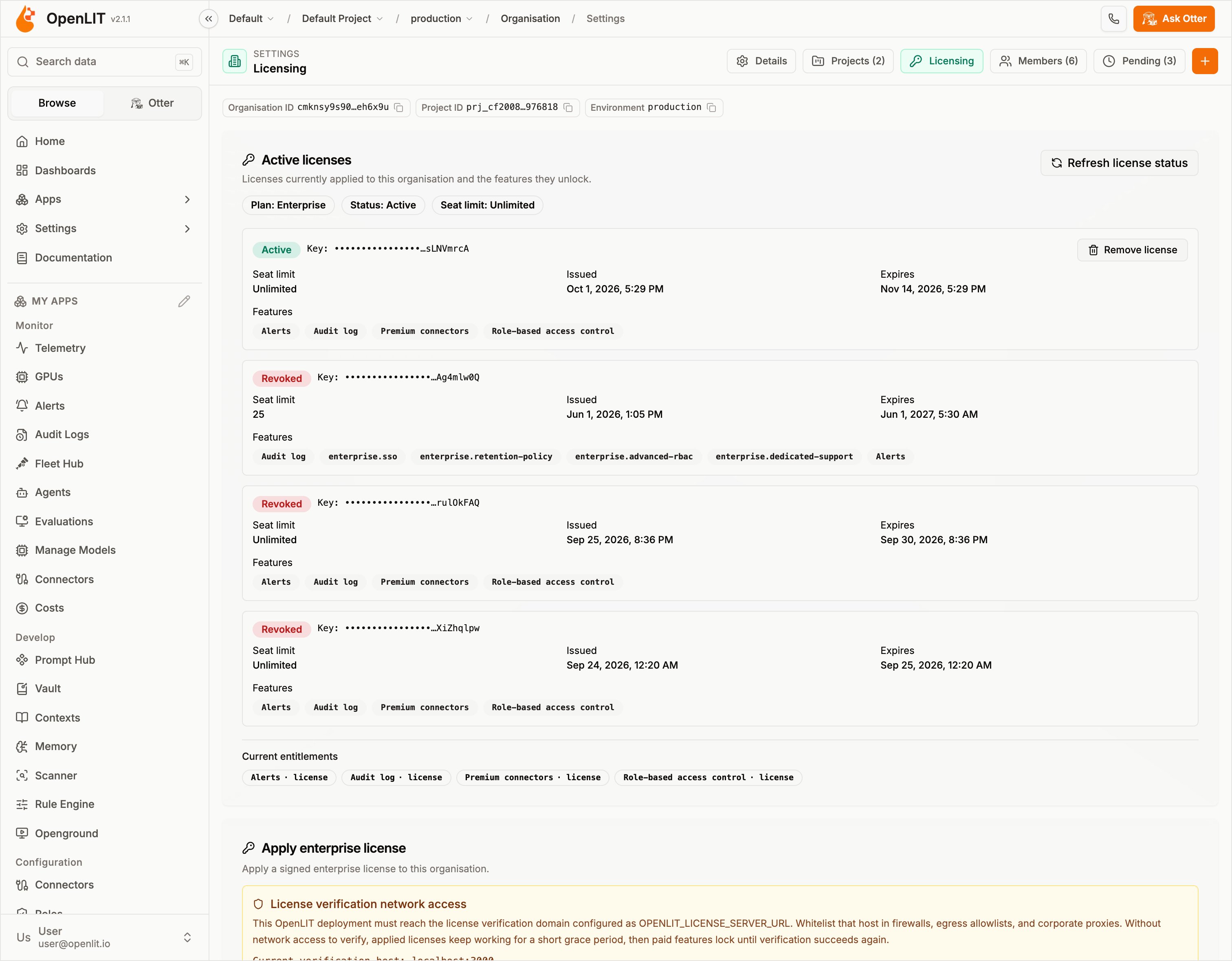
1
Run the enterprise build
Deploy OpenLIT Enterprise in place of the community edition. Your existing organisations, projects, and data carry over.
2
Apply the license
Open your organisation’s settings, go to the Licensing tab, and select Apply enterprise license. Applying or removing a license needs the organisation owner, or a custom role with the
license:manage permission.3
Use the unlocked features
Features included in the license unlock immediately for that organisation. Features that aren’t licensed stay visible but locked, with an upgrade prompt.
Role-based access control
Custom role groups, direct user permissions, and per-feature API key access
Organisation
Organisations, projects, environments, and built-in roles