

Enterprise feature. This is part of OpenLIT Enterprise and needs an enterprise license applied to your organisation; the community edition doesn’t include it. Book a call or email developers@openlit.io to get access to the enterprise build and a license.
/audit-logs). Audit logs are organisation-wide, so you don’t need to select a project first.
Availability
Audit Logs need an OpenLIT Enterprise license that includes the Audit log feature for your organisation.- Events are recorded only while the organisation is licensed. Changes made while it isn’t licensed are never logged, even if a license is applied later.
- Without the license, the page is locked and the API returns
403withupgrade_required.
Permissions
Viewing audit logs needs theaudit_logs:read permission. Owner and Admin have it by default; Member doesn’t. With RBAC you can grant it to a custom role group. Audit logs are read-only: nobody can edit or delete entries.
Browse audit logs
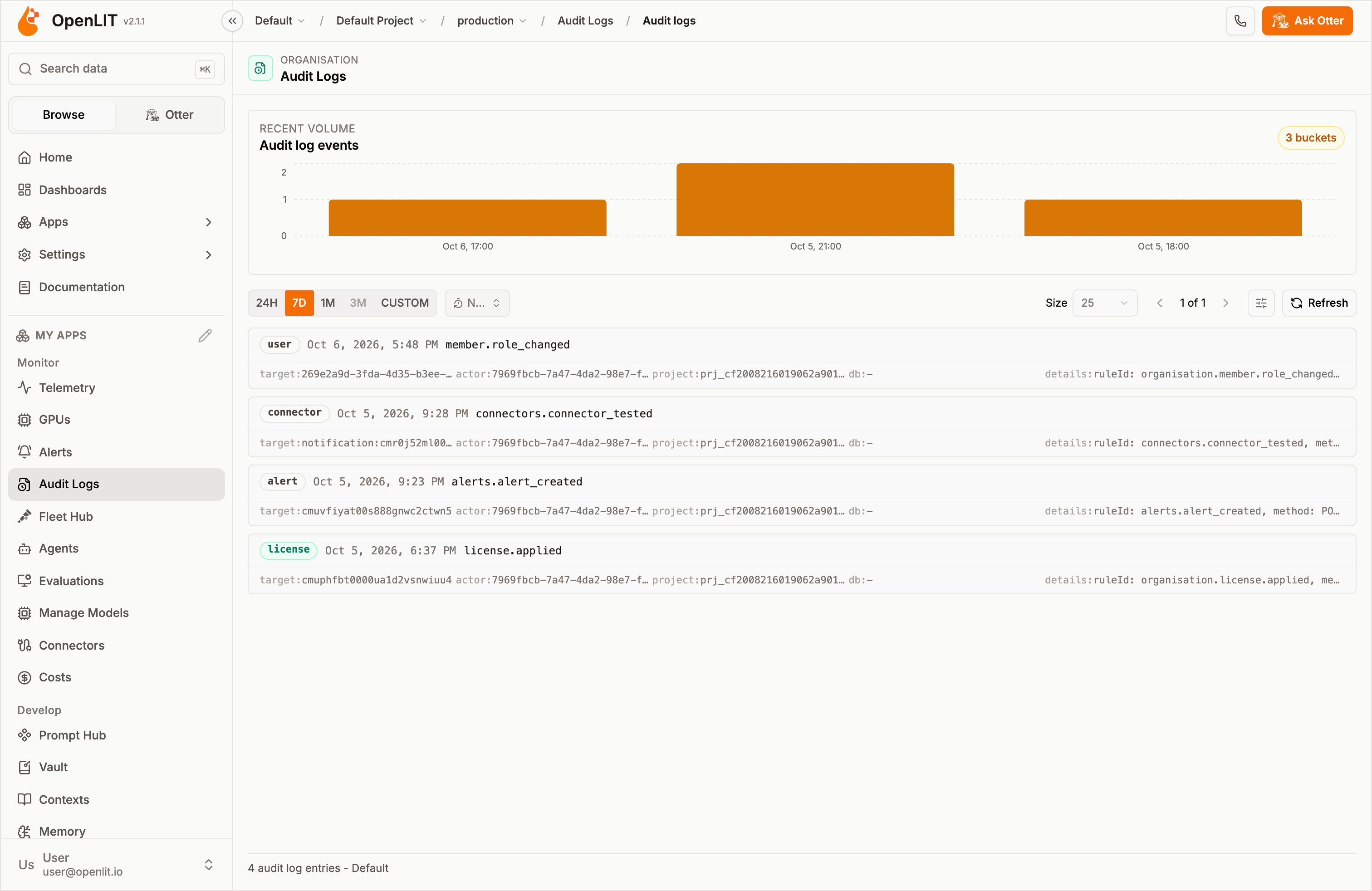
- Recent volume: a bar chart of events per hour for the entries on the current page.
- The event list: one card per event with the target type, time, and action, plus the target, actor, project, database config, and a short summary of the details.
Filter events
Select Filters to narrow the list by:
Each list shows values found in the selected time range. Select Apply filters to update the list, or Clear filters to reset.
Event details
Select an event to open its details. The panel shows the target, the actor, project, and database config by name where possible, the time, and a Metadata section with everything captured for the event: the request path and parameters, the request and response bodies, the status, the client user agent, and IP address.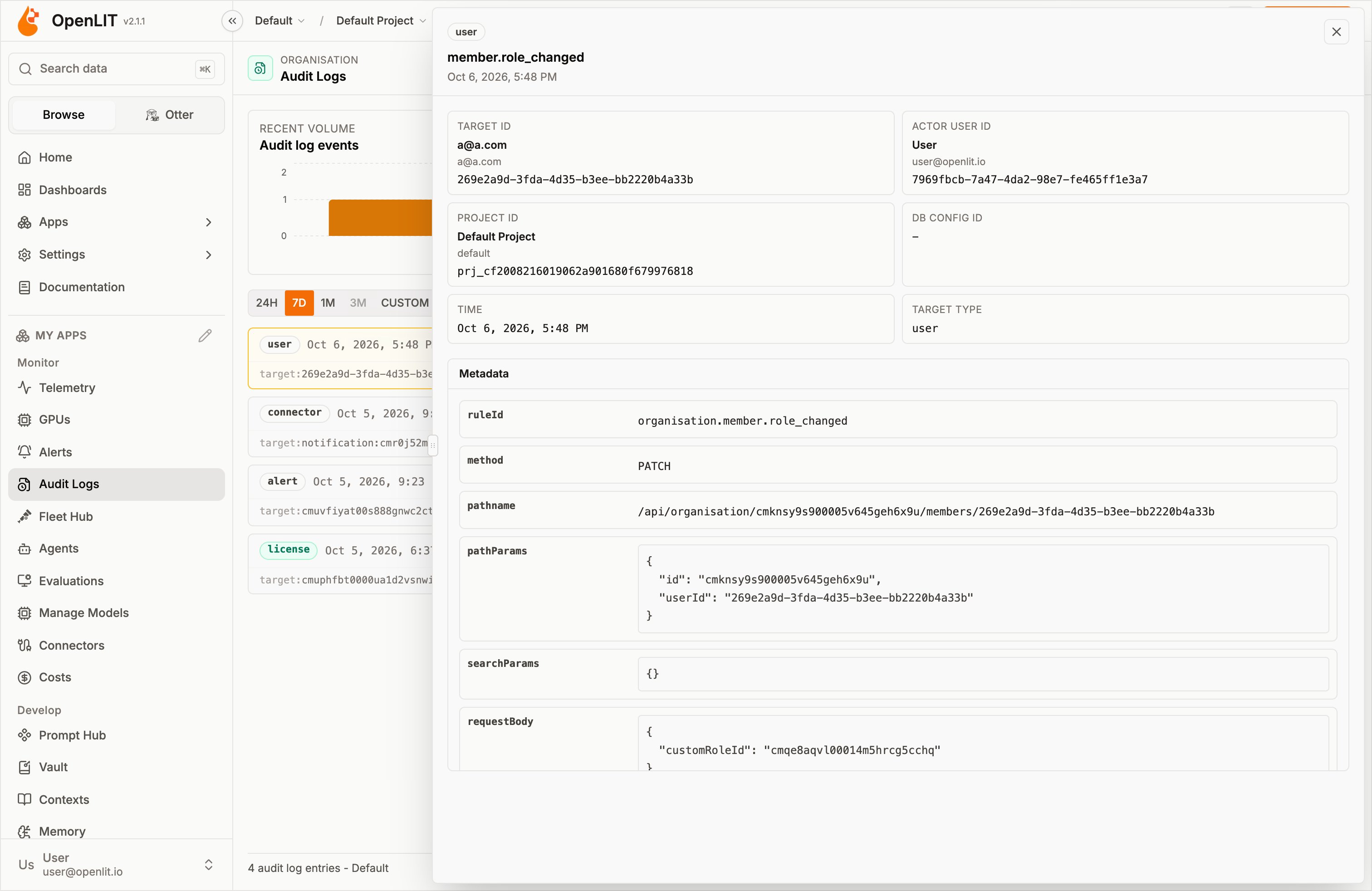
Sensitive values are redacted before they’re stored. Any field whose name looks like a password, secret, token, API key, license key, authorization header, cookie, session, or secret value is saved as
[REDACTED].What gets recorded
OpenLIT records an event when a privileged request succeeds. Failed or denied requests aren’t recorded.
Each event stores the organisation, the project and database config when known, the actor, the action, the target type and ID, the metadata, and the time.
Retention
Audit logs are kept until the organisation is deleted; deleting a project or database config doesn’t remove its events. Each query can cover up to 366 days. If the license lapses, recording stops and the page locks, but existing events are kept and become visible again once the license is reapplied.Audit logs API
Signed-in users withaudit_logs:read can query audit logs:
Results are newest first and include pagination totals. This endpoint needs a signed-in session; API keys can’t read audit logs.
Role-based access control
Control who can view audit logs and manage your organisation
Alerts
Get notified when important changes happen