

Enterprise feature. This is part of OpenLIT Enterprise and needs an enterprise license applied to your organisation; the community edition doesn’t include it. Book a call or email developers@openlit.io to get access to the enterprise build and a license.
Availability
Notification connectors are premium connectors: creating, editing, and testing them needs an OpenLIT Enterprise license that includes Premium connectors. Sending alerts also needs the Alerts feature. Without the license, the connector catalog shows these types with a Premium badge and a lock, and Add connector reads License required.Add a notification connector
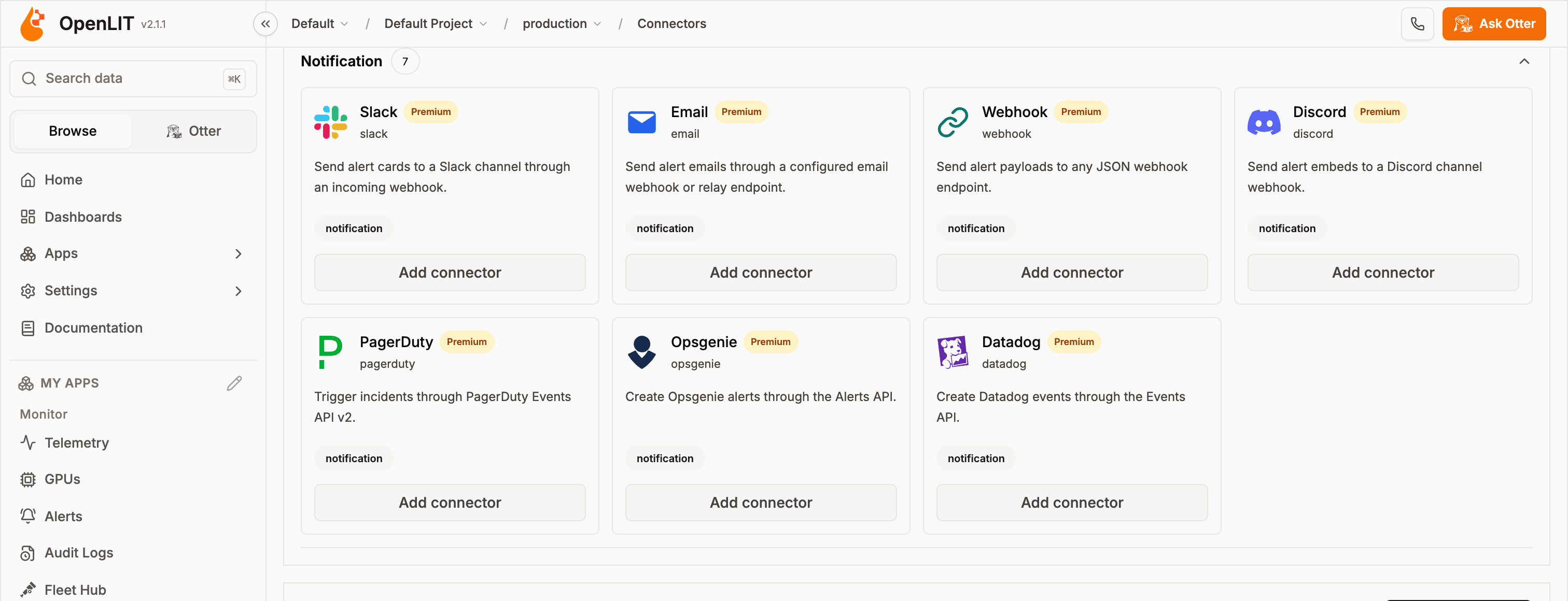
- Connectors (
/connectors): find the type in the Notification group of the catalog and select Add connector. - Alerts → Destinations: select Add destination, or select Destination while creating an alert.
http or https and can’t target localhost, private, or reserved network addresses.
Connector types
Microsoft Teams isn’t available as a destination yet.
Slack
Posts an alert card to a channel through a Slack incoming webhook.
The card shows the title, the message, the severity, the trigger, and, if enabled on the alert, the matched fields.
Email doesn’t support SMTP yet. Without a Relay URL, sends fail with “Email relay URL is required until a native SMTP adapter is configured.”
to, from, subject, text, and html to the relay.
Webhook
POSTs the alert as JSON to any HTTPS endpoint.
The payload includes:
Discord
Posts an embed to a Discord channel webhook.
The embed colour follows the alert’s accent colour, or red for critical, orange for high, and blue otherwise.
PagerDuty
Triggers incidents through the PagerDuty Events API v2.
Severity maps to PagerDuty as critical →
critical, high → error, medium → warning, and low → info. OpenLIT only triggers incidents; resolve them in PagerDuty.
Opsgenie
Creates alerts through the Opsgenie Alerts API.
Severity maps to priority as critical →
P1, high → P2, medium → P3, and low → P4.
Datadog
Creates events through the Datadog Events API.
Critical alerts create
error events; others create warning events. Events are tagged with openlit, the severity, and the trigger.
Alerts
Create alerts and attach notification connectors as destinations
Connectors overview
How connectors work across data sources, memory, and scanners