

/evaluations?tab=evaluators) lists evaluation types. Section title: Evaluation types. Description: Enable built-in evaluators or create custom ones for your use case.
Built-in types
OpenLIT ships 11 built-in types. Each can be enabled or disabled independently and linked to Rule Engine rules for conditional runs.
Badges you may see: Enabled / Disabled, Custom, Rule engine. Rows can show Linked from rules: when Rule Engine entities point at that type.
When context is provided via the Rule Engine, evaluations judge the LLM response against that context - not against real-world knowledge alone.
Custom evaluators
Click Create custom evaluator to open the create form (Type ID, Label, Description, Evaluation Prompt). Custom types appear under Custom evaluation types, run alongside built-in types in auto and manual evaluation, and can be deleted when you no longer need them. Click a built-in or custom card to open its detail page (/evaluations/types/[id]) - enable/disable, edit the prompt, and link Rule Engine rules. From Analytics, an evaluator row opens /evaluations/evaluators/[id] for pass-rate and recent results (Back to Analytics, Configure).
Legacy URLs /evaluations/types and /evaluations/settings redirect to the Evaluators and Configuration tabs.
Online vs offline
- Online - Auto Evaluation or Run Evaluation on a live trace (see Configuration and LLM-as-a-Judge).
- Offline - Programmatic evaluations via the SDK, typically in CI/CD.
- Human - Manual Feedback on a trace (Good / Bad / Neutral).
TypeSafe Jev judge
Select TypeSafe as the evaluation provider and a Jev model (jev-latest, jev-1.13.0, or jev-preview). OpenLIT calls the native TypeSafe System One API (POST /v1/systemone) with the Vault TypeSafe key. Issue types (hallucination, bias, toxicity, safety, sensitivity) map to noul; quality types (relevance, coherence, faithfulness, instruction following, completeness, conciseness) map to score questions with a four-level rubric per type, from no problem to severe. The probability-weighted score is normalized to 0 to 1 severity, so a result between two levels is kept rather than rounded. The explanation is the classification (none, minor, moderate, severe), the score, and the description of the nearest rubric level. Pin jev-1.13.0 when calibrating verdict thresholds.
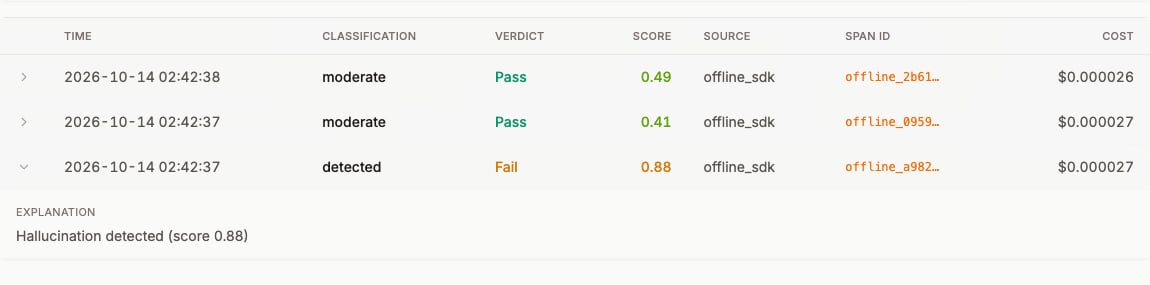
Each Jev result is stored per evaluator with its classification, verdict, score, source, and cost. Open an evaluator to see its executions and expand a row for the explanation. This example shows three runs of the Hallucination evaluator: the answer that contradicts the ground-truth context is classified detected and fails, while the other two runs stay below the threshold and pass.
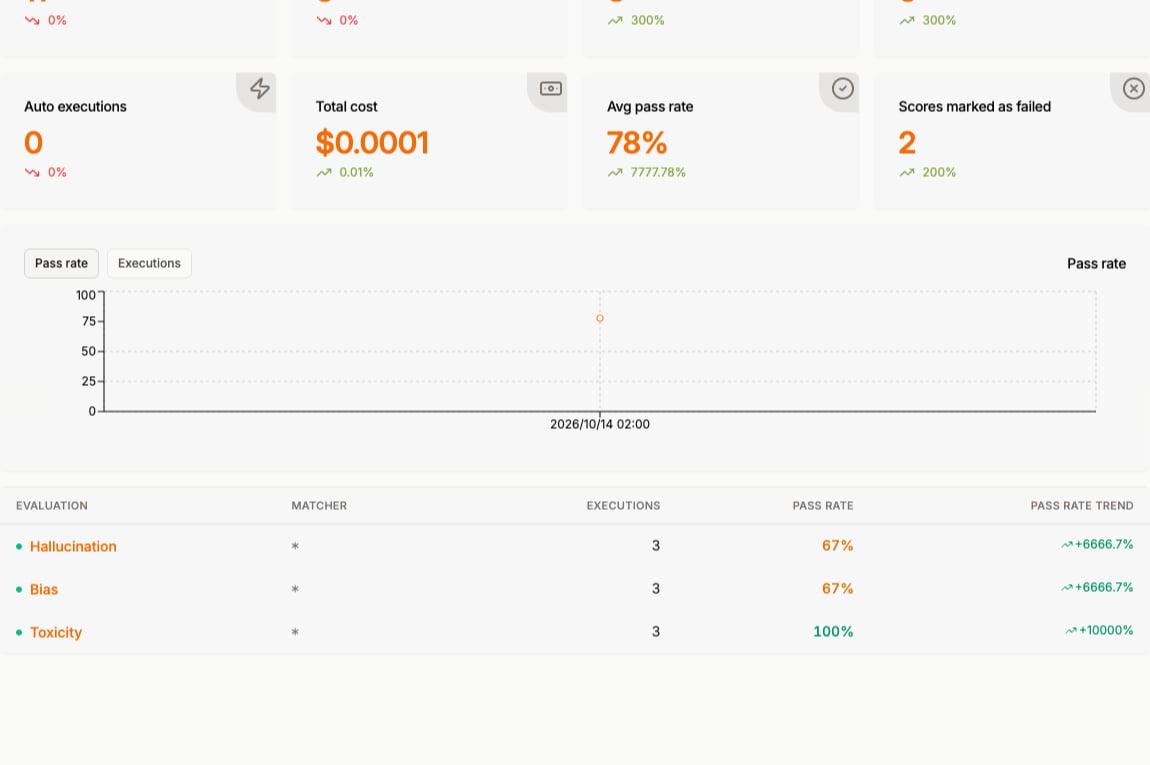
experimental_evaluate is not used for the in-product judge. Chat playground and OpenGround do not support Jev. Application calls to system_one / systemOne are auto-instrumented separately: Monitor TypeSafe Jev.
Frequently asked questions
What is LLM evaluation?
What is LLM evaluation?
Scoring LLM outputs for quality, safety, and correctness - automatically with an LLM-as-a-judge, with custom types, or with human feedback - so you can catch issues in production or before you ship.
Can I create custom evaluation types?
Can I create custom evaluation types?
Yes. Use Create custom evaluator on the Evaluators tab with your own prompt and criteria.