

/connectors). Always select the correct project and environment first — connectors belong to the project, not the organisation root.
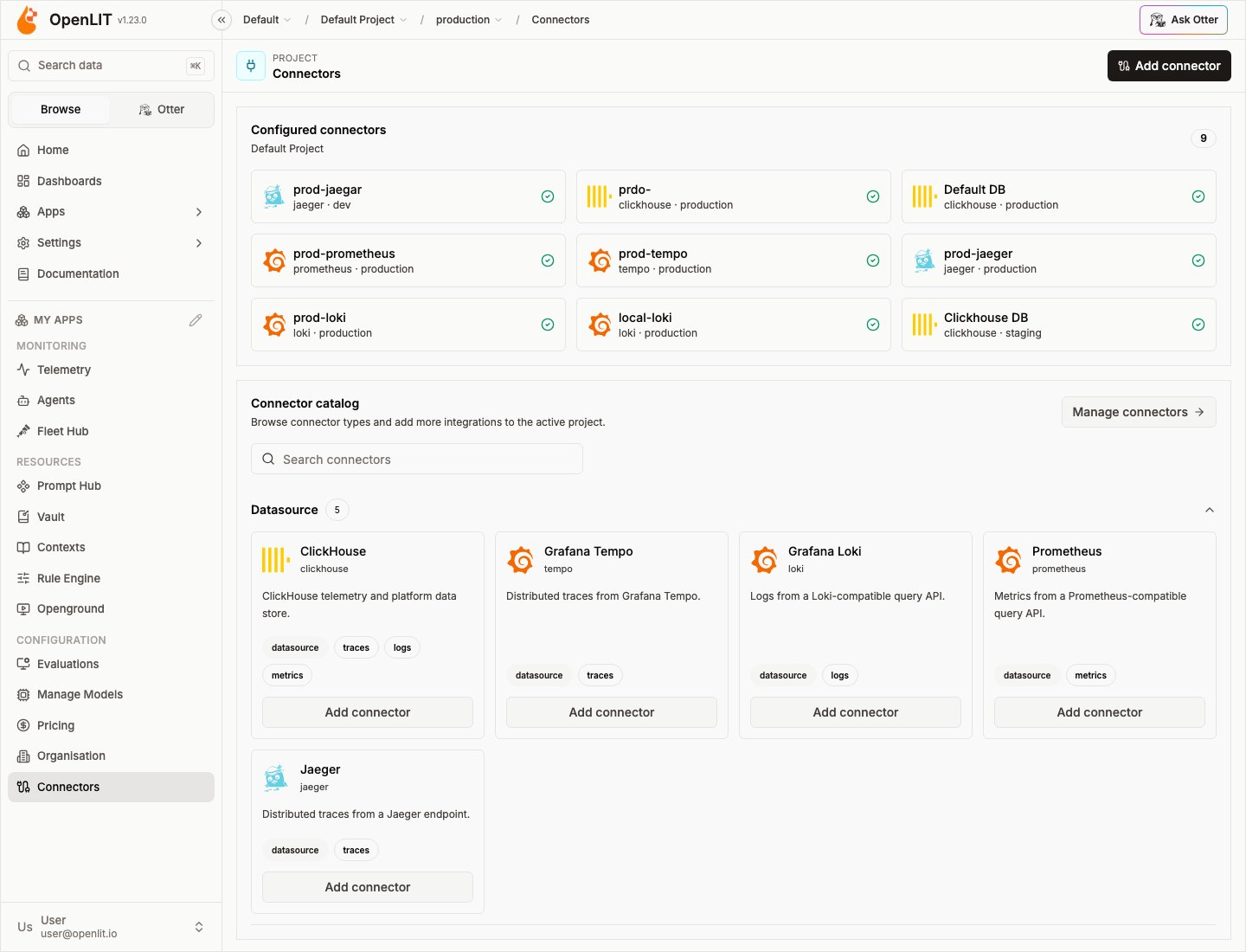
Connectors share one registry model across categories. Data-source connectors route telemetry reads; memory connectors connect OpenLIT to agent memory stores; scanner connectors run Trustabl jobs against GitHub repositories.
Connector categories
Data-source connectors
ClickHouse, Tempo, Loki, Prometheus, and Jaeger — read traces, logs, and metrics with per-signal routing.
Memory connectors
Claude, LangGraph, Mem0, and Zep — browse, search, write, and copy agent memories from the Memory page and Otter.
Scanner connectors
Trustabl — scan GitHub repositories for agent SDK, MCP, and policy findings.
Notification connectors
Enterprise — send alerts to Slack, email, webhooks, Discord, PagerDuty, Opsgenie, and Datadog.
Premium connectors (the notification connectors, plus the Datadog and New Relic data sources) are part of OpenLIT Enterprise and show a Premium badge in the catalog.
Mental model
- Atomic connectors — one backend per connector instance. Never a multi-backend blob.
- Project scope — connectors are created on a project and partitioned by environment.
- Data-source bindings — traces, logs, and metrics bind independently. See Signal routing.
- Memory usage — memory connectors power the Memory page (
/memory) and Otter memory tools; they do not replace telemetry routing. - Scanner usage — scanner connectors power the Scanner page (
/scanner) and Otterget_scanner_findings; they do not replace telemetry routing.
Common actions
Enterprise audit logs record connector create, update, delete, test, bind, and unbind events. RBAC permissions are
connectors:read|create|update|delete|test|bind (owner/admin by default).
Related
Organisation overview
How projects and environments scope connectors.
Signal routing
Bind traces, logs, and metrics to data-source connectors.
Database Config
ClickHouse app store and built-in connector.
Environments
Partition connectors by environment.