

Key features
- Condition groups: Organise conditions into groups. Each group uses its own AND/OR logic, and groups are combined using a top-level AND/OR group operator.
- Rich operators: Supports
equals,not_equals,contains,not_contains,starts_with,ends_with,regex,in,not_in,gt,gte,lt,lte, andbetweenacrossstring,number, andbooleandata types. - Entity linking: Associate a rule with one or more entities — Context, Prompt, Dataset, or Meta Config — so matching rules return the relevant resources.
- Status control: Enable or disable rules without deletion using Active / Inactive status.
- External API: Evaluate rules from any application using Bearer token authentication, without requiring a dashboard session.
How it works
entity_type filter. It runs all active rules against those inputs and returns the IDs of matching rules plus their linked entities (optionally with full data).
Get started
List rules
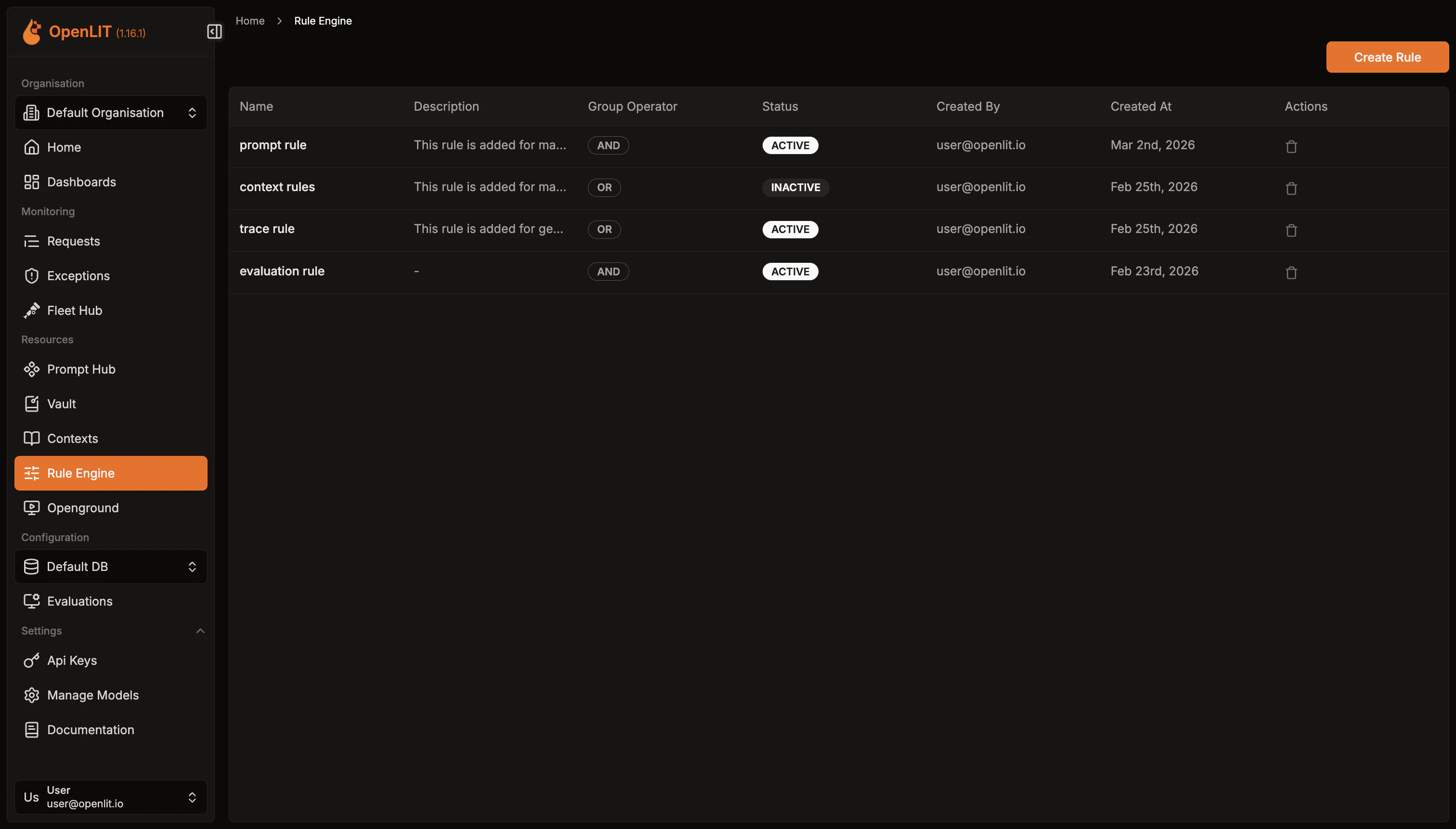
- Navigate to Rule Engine in the OpenLIT sidebar.
- Browse existing rules with their name, status, and group operator.
Create a rule
- Click Create Rule in the top-right corner.
- Enter a Name (required) and optional Description.
- Choose the top-level Group Operator — AND means all condition groups must match; OR means any group must match.
- Set Status to Active or Inactive.
- Click Create.
Add condition groups
After creating a rule, open its detail page to add conditions.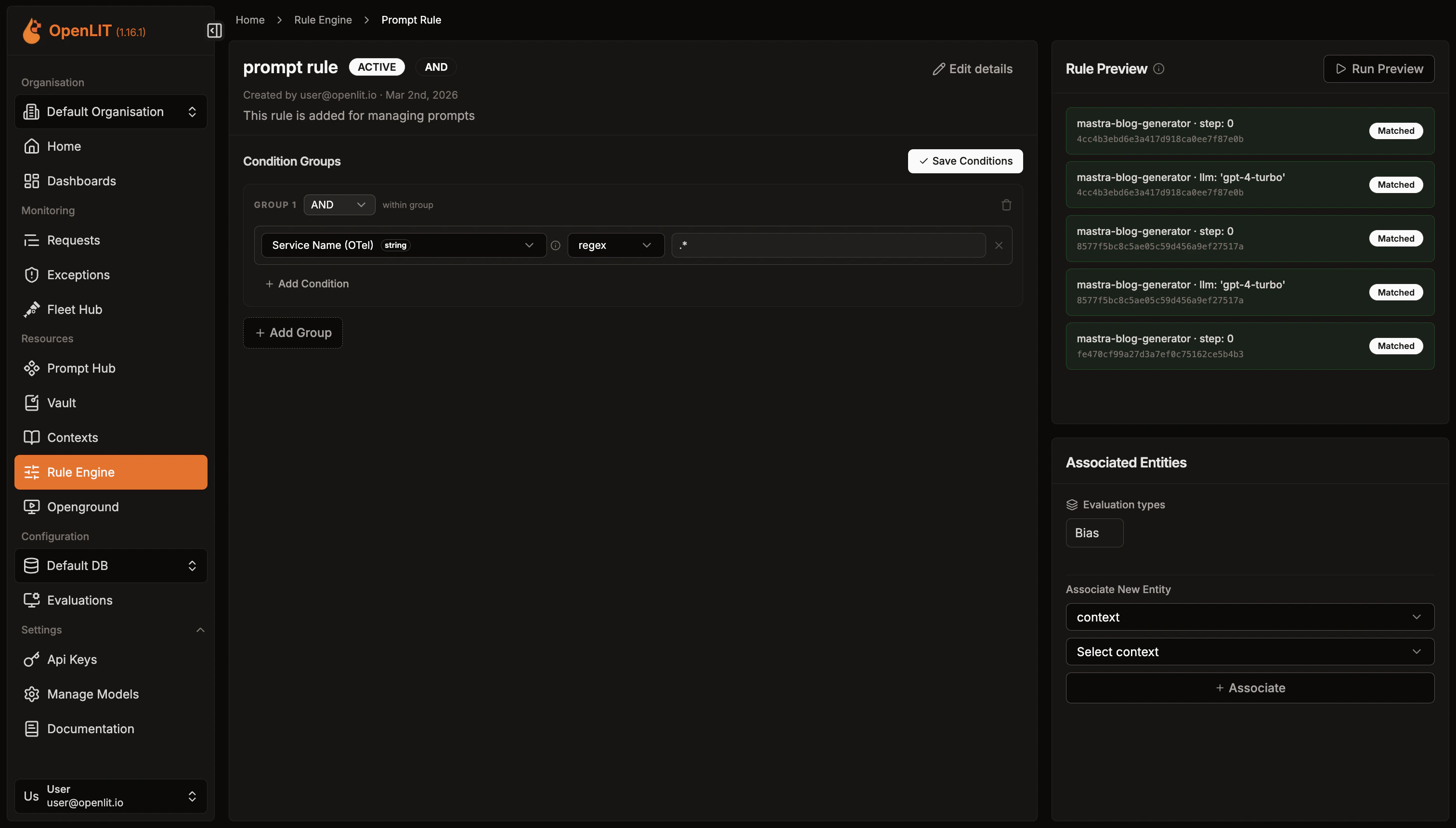
- Click Add Condition Group.
- Choose the group’s Condition Operator (AND / OR).
- Add one or more conditions:
- Field: The input key to match against (e.g.
model,user_tier,token_count). - Operator: One of the supported comparison operators.
- Value: The value to compare against.
- Data Type:
string,number, orboolean.
- Field: The input key to match against (e.g.
- Add more groups as needed. Save all changes with Save Conditions.
model equals gpt-4 AND token_count is greater than 1000:Link entities
Rules become actionable when they reference resources to return.
- On the rule detail page, scroll to the Linked Entities panel.
- Select an Entity Type (Context, Prompt, Dataset, or Meta Config).
- Enter the Entity ID or select from the dropdown.
- Click Add Entity.
Evaluate rules via API
Create an API Key
- Navigate to Settings → API Keys in OpenLIT.
- Click Create API Key, enter a name, and save the key securely.
Call the evaluate endpoint
Send a
POST to /api/rule-engine/evaluate using curl or one of the OpenLIT SDKs.Required fields:entity_type— Filter results to a specific entity type:context,prompt,dataset, ormeta_config.fields— Key-value map of input values to evaluate against rule conditions.
include_entity_data— Set totrueto fetch full entity records in the response.entity_inputs— Extra parameters specific to the entity type (e.g.variablesandshouldCompileforprompt).
- Python
- TypeScript
- Go
- curl
Example Response (Context)
Example Response (Prompt)
For detailed SDK parameters and error handling, see the SDK Rule Engine feature doc.
Condition operators reference
String operators
| Operator | Description | Example |
|---|---|---|
equals | Exact match | model equals gpt-4 |
not_equals | Does not match | model not_equals gpt-3.5 |
contains | Substring match | model contains gpt |
not_contains | Substring not present | model not_contains turbo |
starts_with | Prefix match | model starts_with gpt |
ends_with | Suffix match | model ends_with 4 |
regex | Regular expression | model regex ^gpt-[0-9]+$ |
in | Value in comma-separated list | model in gpt-4,claude-3 |
not_in | Value not in list | model not_in gpt-3.5,davinci |
Number operators
| Operator | Description |
|---|---|
equals | Exact numeric match |
not_equals | Does not match numerically |
gt | Greater than |
gte | Greater than or equal |
lt | Less than |
lte | Less than or equal |
between | Inclusive range — value as min,max |
Boolean operators
| Operator | Description |
|---|---|
equals | Matches true or false |
Context
Store reusable knowledge and system instructions that can be retrieved when rules match
Prompt Hub
Version, deploy, and collaborate on prompts with centralized management and tracking
SDK Rule Engine
Use evaluate_rule() from Python, TypeScript, or Go with full parameter reference and examples
API Reference: Evaluate
Full reference for the Rule Engine evaluate endpoint with request and response schemas