

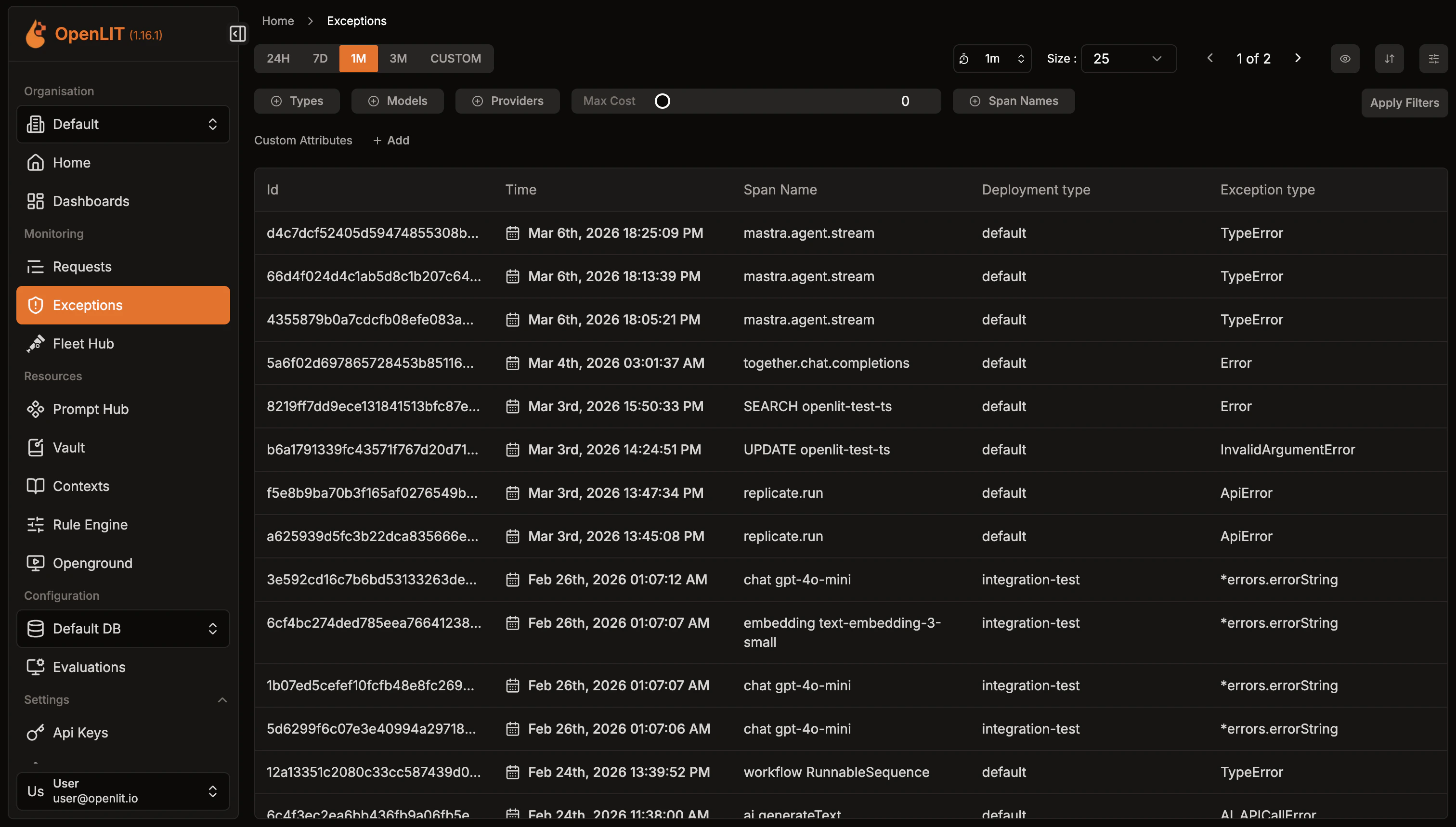
Error traces
All error traces are automatically captured and displayed here, including:- LLM API errors: Authentication, rate limits, model issues
- Framework errors: LangChain, LlamaIndex execution failures
- Vector database errors: Connection and query issues
- Application errors: Custom exceptions and validation errors
Filtering
Use the time range selector to filter errors by period (24H, 7D, 1M, 3M, or custom range). Each error shows the trace ID, timestamp, span name, deployment type, and specific exception type.Exception details
Click any error to view the complete trace context with detailed exception information, stack traces, and execution flow.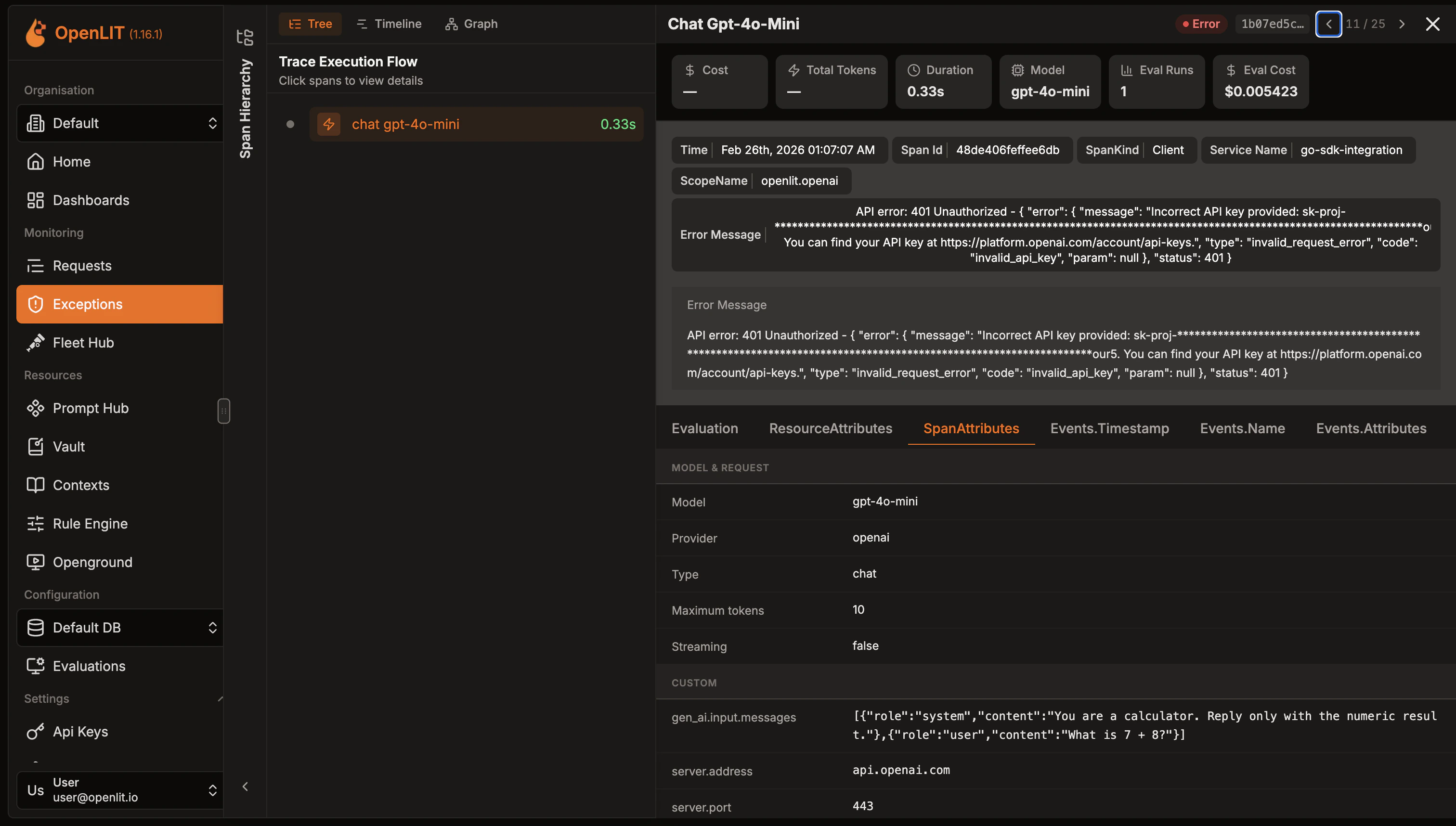
Quickstart: LLM Observability
Production-ready AI monitoring setup in 2 simple steps with zero code changes
Create a dashboard
Create custom visualizations with flexible widgets, queries, and real-time AI monitoring
Integrations
60+ AI integrations with automatic instrumentation and performance tracking
Zero-code observability with the OpenLIT Controller
Discover and instrument LLM traffic across Kubernetes, Docker, and Linux using eBPF — no code changes required.