

Key features
- Markdown content: Write and preview context content in a full Write/Preview markdown editor.
- Tags: Categorise contexts with free-form tags for easy filtering and discovery.
- Meta properties: Attach arbitrary key-value metadata to contexts (e.g.
model: gpt-4,region: us). - Status control: Mark contexts as Active or Inactive to enable or disable them without deletion.
- Rule linking: Associate contexts with one or more rules. When a rule matches, linked context content is returned in the evaluate API response.
Get started
List contexts
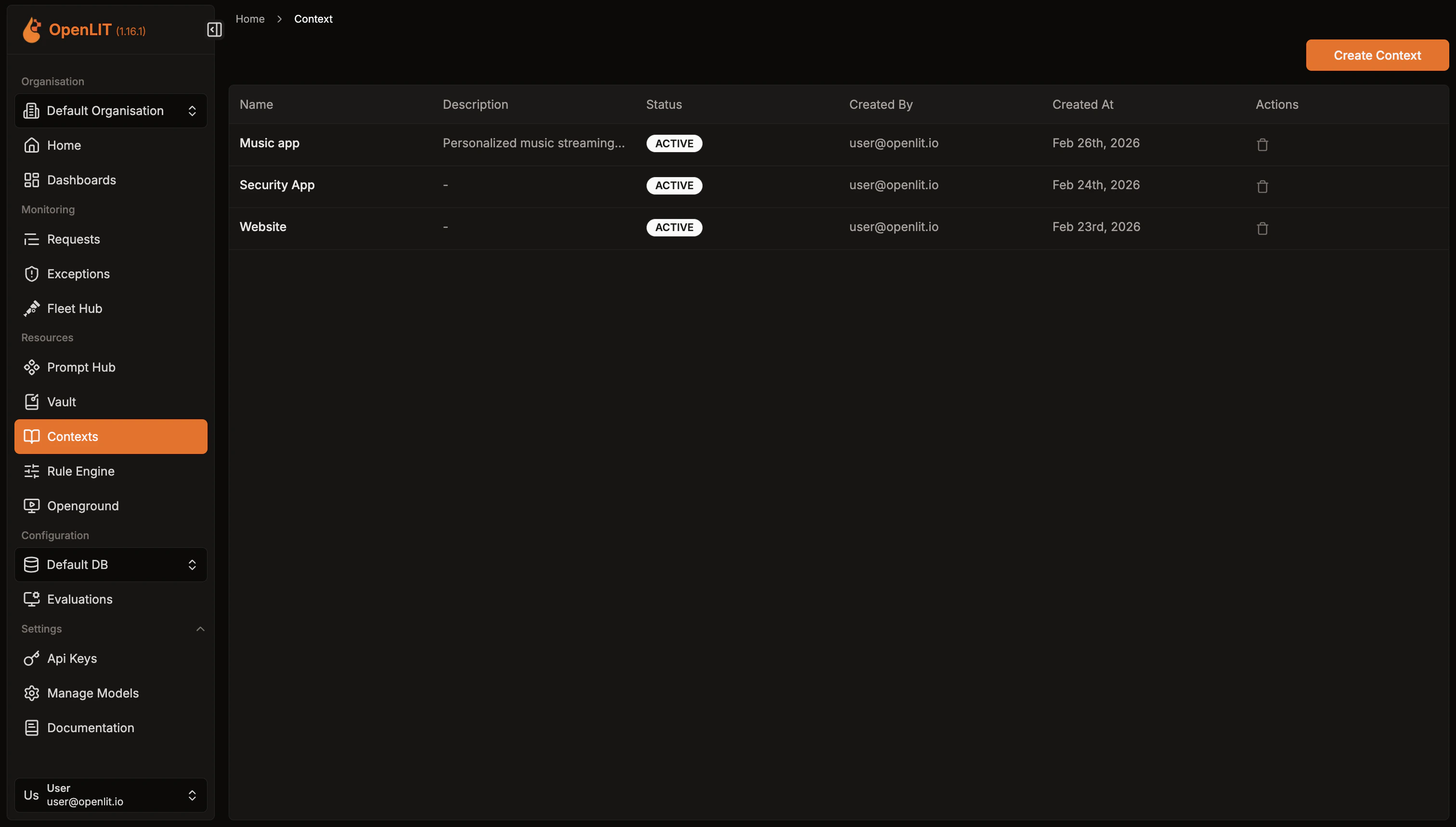
- Navigate to Context in the OpenLIT sidebar.
- Browse the list of existing contexts with their status and description.
Create a context
- Click Create Context in the top-right corner.
- Enter a Name (required) and an optional Description.
- Write your content in the Content editor. Markdown is fully supported — switch to Preview to see the rendered output.
- On the right panel:
- Set the Status to Active or Inactive.
- Add Tags by typing and pressing Enter.
- Add Meta Properties as key-value pairs for additional metadata.
- Click Save Context. You will be redirected to the context detail page.
Edit a context
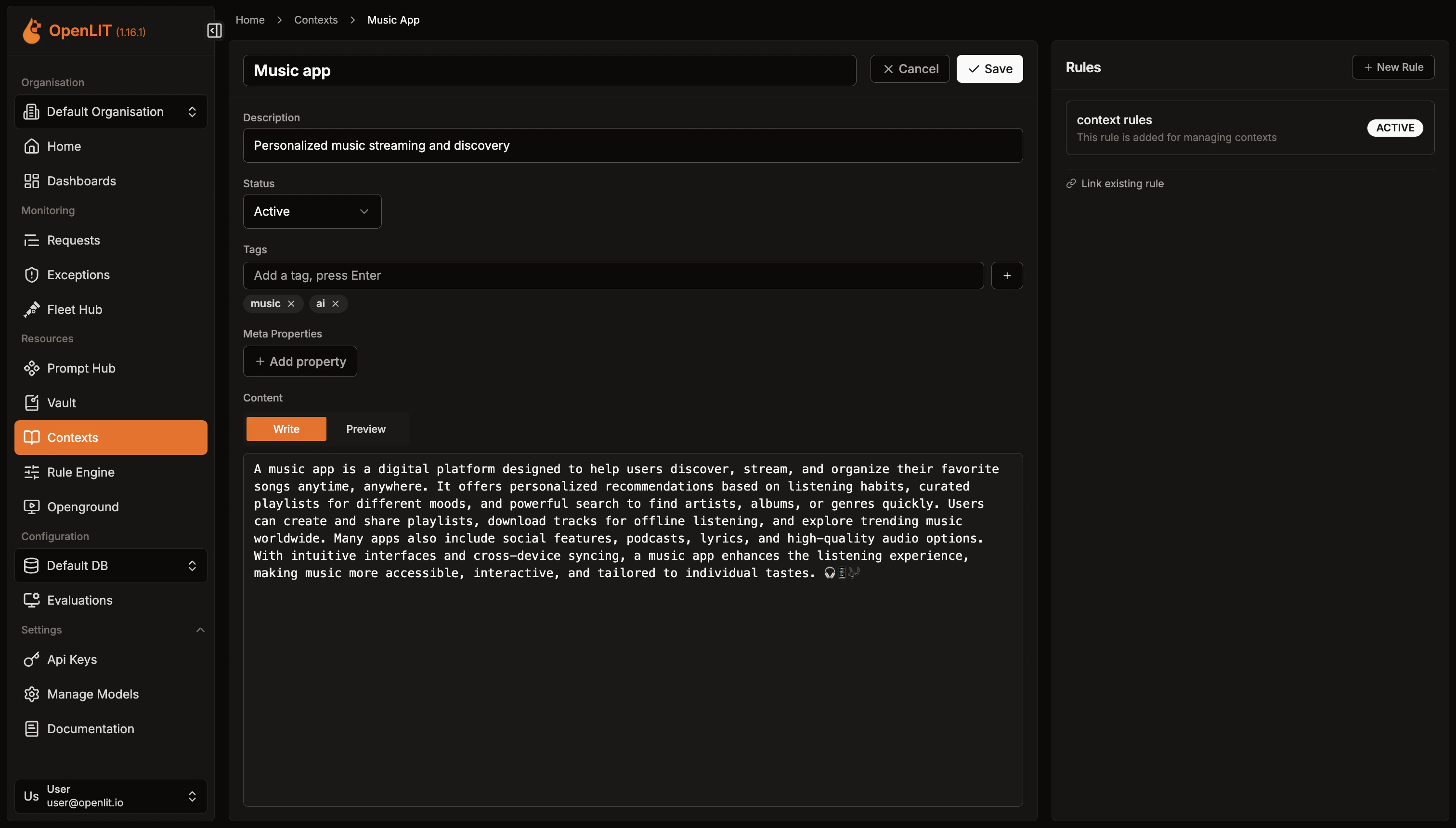
- Click on any context in the list to open its detail page.
- Click Edit to switch to edit mode.
- Modify any fields — name, description, content, status, tags, or meta properties.
- Click Save to apply changes.
Link a context to a rule
Contexts become actionable when linked to rules.
- Open the context detail page.
- In the Linked Rules panel on the right, click New Rule to create and link a new rule, or use Link existing rule to associate an existing rule.
- Linked rules are listed with their name and status. Click a rule name to navigate to its detail page.
Retrieve context data at runtime
Use the Rule Engine evaluate API to fetch matching context data for your AI pipeline.
Create an API Key
- Navigate to Settings → API Keys in OpenLIT.
- Click Create API Key, enter a name, and save the key securely.
Call the evaluate API
Send a Set
POST request to /api/rule-engine/evaluate with your input fields and entity_type: "context" using the SDK or curl.- Python
- TypeScript
- Go
- curl
Example Response
include_entity_data: true to receive the full context record. When omitted, only matching rule IDs and entity references are returned.For detailed SDK parameters and error handling, see the SDK Rule Engine docs.
Rule Engine
Create conditional rules to match inputs and retrieve linked contexts, prompts, and other resources
Prompt Hub
Version, deploy, and collaborate on prompts with centralized management and tracking
SDK Rule Engine
Use evaluate_rule() from Python, TypeScript, or Go with full parameter reference
API Reference: Evaluate
Full reference for the Rule Engine evaluate endpoint with request and response schemas