

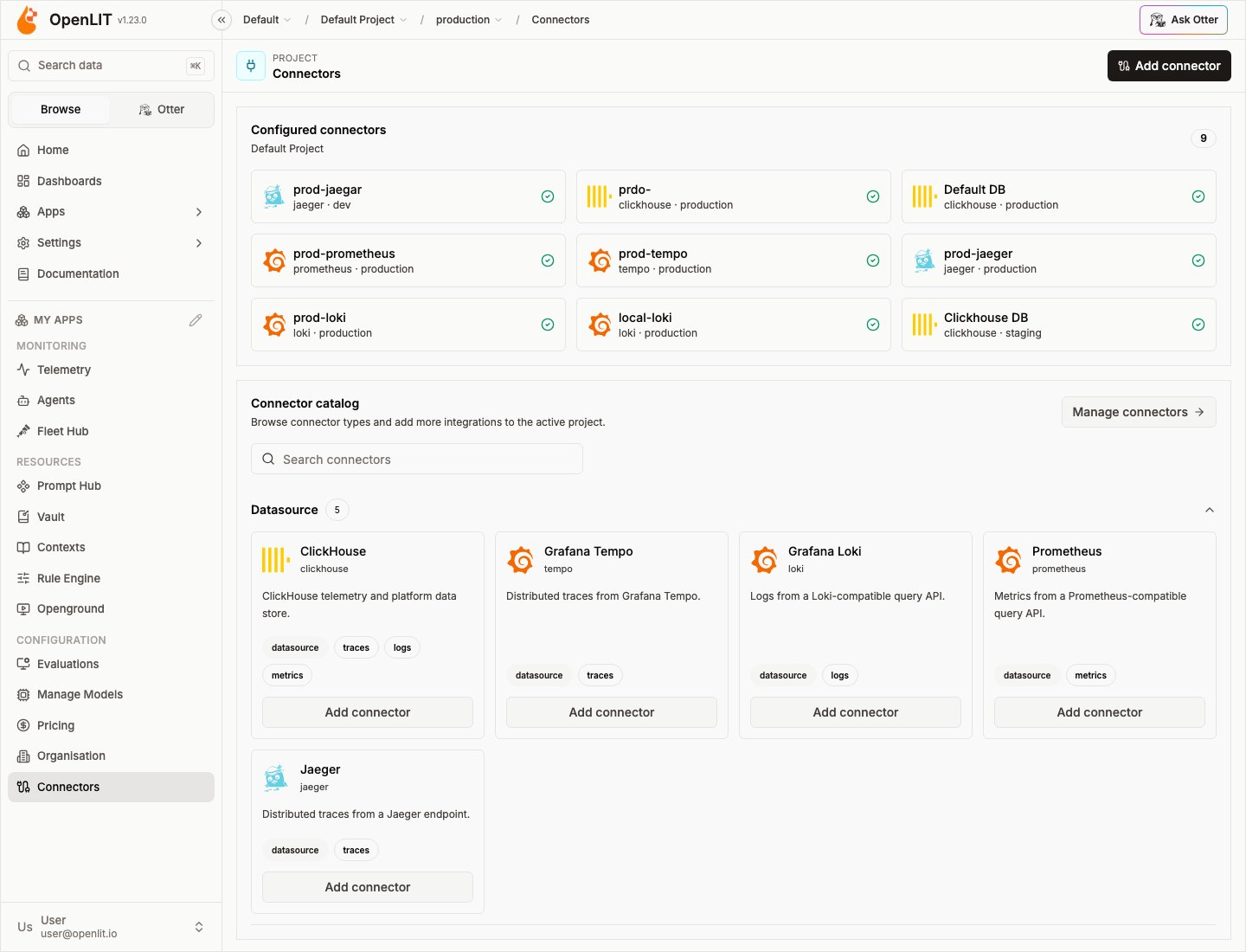
Connectors are the long-term integration point in OpenLIT: data-source connectors for telemetry, memory connectors for agent memory providers, with the same registry model expanding to notifications and other action types over time. Several read paths use portable @openplait adapters so query behavior stays consistent across backends.
Mental model
- Atomic connectors — never a multi-backend blob. One Tempo instance, one Loki instance, one Prometheus endpoint.
- Signal routing — each of traces / logs / metrics is bound independently. See Signal routing.
- Database Config — ClickHouse lives as a Database Config and appears as the built-in connector. See Database Config.
Supported connectors (OpenLIT + OpenPlait)
These are the connectors available in open-source OpenLIT. OpenPlait packages power the portable query adapters for ClickHouse, Tempo, Loki, Prometheus, and Jaeger.Built-in app store
Data-source connectors
Capability matrix
* Aggregate graphs are reconstructed in-process from a bounded sample of full traces when the backend cannot aggregate server-side.
Memory connectors
Memory connectors store and search long-term agent memory. They use the same catalog, vault, and health-check actions as data-source connectors, but they are not bound to traces, logs, or metrics.
To add a memory connector: open Connectors, choose Mem0 or Zep from the catalog, set the endpoint (or keep the hosted default), paste the API key, and test the connection. Credentials are stored in Vault and never returned to the browser.
Add a Jaeger connector in OpenLIT
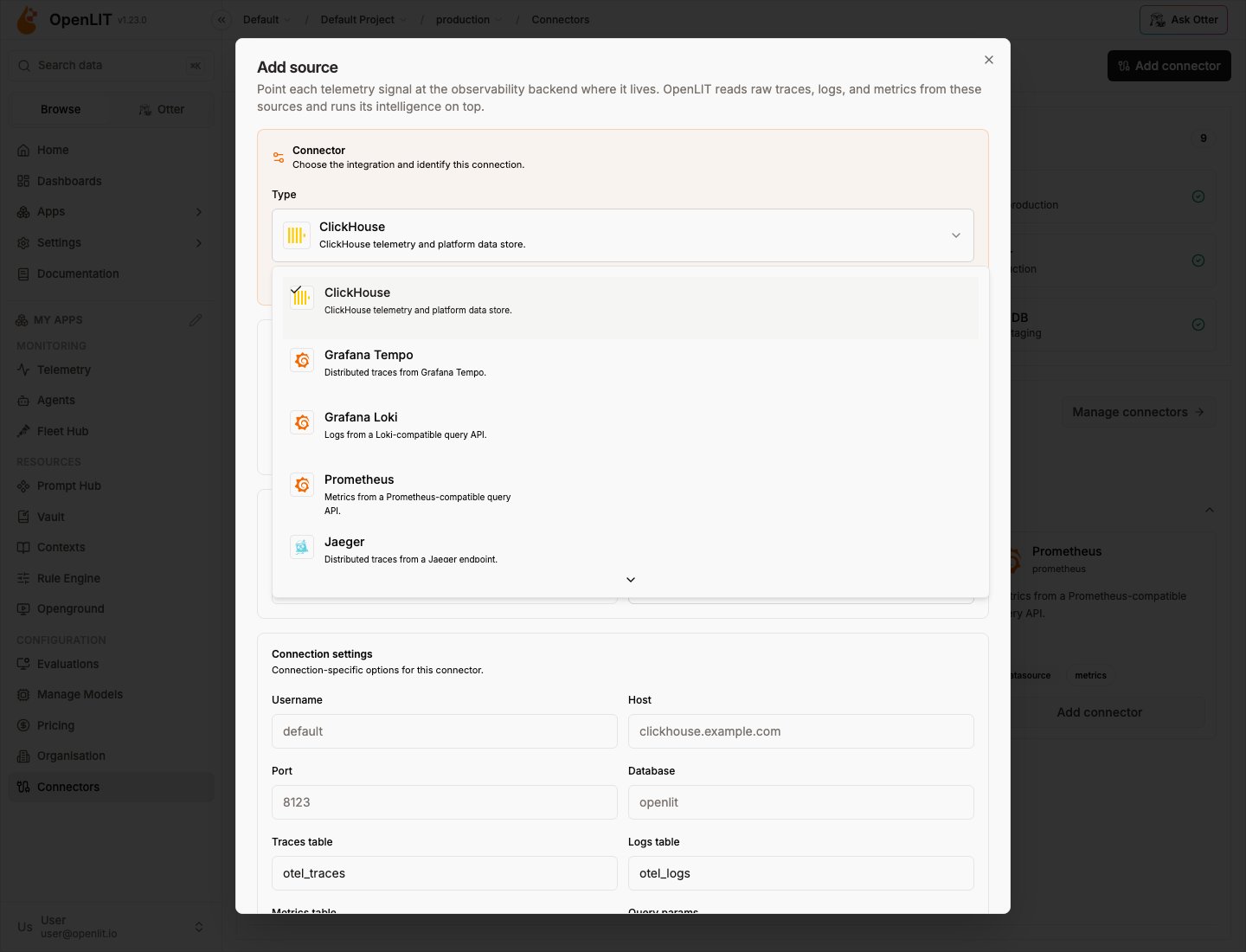
- Select a project and environment in the header.
- Open Connectors and choose Add connector / Add source.
- Pick Jaeger from the connector type list.
- Set the Query URL (local all-in-one:
http://localhost:16686) and auth if needed. - Bind traces to the connector under signal routing.
Actions you can take on a connector
The connector registry is designed so actions attach to a connector type. Today’s data-source actions:
Enterprise audit logs record connector create/update/delete/test plus bind/unbind (with signal, environment, and previous source when switching). RBAC permissions are
connectors:read|create|update|delete|test|bind (owner/admin by default).
Future connector categories
The same registry will grow beyond datasources and memory (for example notification and workflow connectors). Each new category still follows: atomic connector → credentials → actions → optional bindings. Data-source connectors remain the foundation for telemetry reads.How OpenLIT finds AI telemetry
Backends hold all telemetry — not only AI. OpenLIT applies a layered AI selector so reads stay focused:- Resource
telemetry.sdk.name = openlit - Resource
telemetry.distro.name = openlit-cli - Any
gen_ai.*attribute coding_agent.session.id, or Claude Code session markers- Known
coding_agent.*span names
Authentication cheat sheet
Security and reliability
- Endpoints validated (
http/httpsonly); credentials in URLs rejected; private/metadata SSRF targets blocked where applicable. - Secrets live in Vault, redacted from errors, never logged.
- Per-source concurrency caps, query budgets, short-lived cache + in-flight de-dupe, and backoff on transient
429/5xx.
OpenPlait packages
OpenLIT wraps these npm packages for portable reads:
See the OpenPlait repository for publishing and adapter docs.
Related
Signal routing
Bind traces, logs, and metrics independently.
Environments
Partition configs and connectors by environment.
Database Config
Env vars → ClickHouse Database Config.
Projects
How connectors are scoped to a project.