

/costs?tab=models). OpenLIT ships 16 built-in chat providers plus TypeSafe for Jev evaluation models; you can add your own for self-hosted or niche APIs.
TypeSafe Jev models
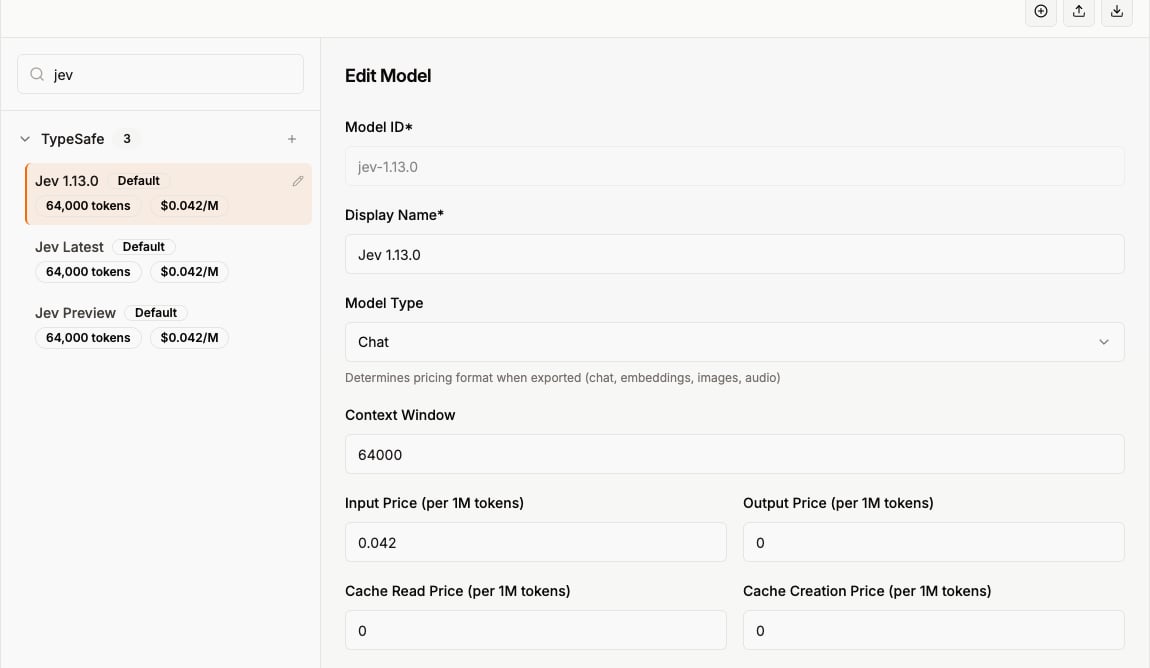
TypeSafe is seeded with the Jev modelsjev-1.13.0, jev-latest, and jev-preview, priced at $0.042 per million input tokens and $0 for output. They are used by the TypeSafe Jev evaluation judge and to cost Jev traces. Like other models, you can edit the prices here. TypeSafe is evaluation-only, so it does not appear in Chat or OpenGround.
Add a provider
1
Open Add Provider
In the Manage Models header, click the + control (tooltip: Add Provider).
2
Fill in the fields
- Provider ID - lowercase identifier (e.g.
my-provider). Spaces become hyphens; other special characters are stripped. This must match what your SDK sends ingen_ai.system. - Display Name - label shown in the UI.
- Description - optional.
- Requires API Key (Vault) - toggle on if callers need a Vault secret for this provider.
3
Save
Click Add Provider. The provider appears in the left sidebar.
Edit a provider
Hover a provider in the sidebar and use the edit control to open Edit Provider. You can change display name, description, and the Vault requirement. Provider ID cannot be changed after creation.Delete a provider
There is no delete button in the Manage Models UI today. To remove a provider and all of its models, use the Providers APIDELETE operation.
API
Providers API
List, create, update, and delete providers