> ## Documentation Index
> Fetch the complete documentation index at: https://docs.openlit.io/llms.txt
> Use this file to discover all available pages before exploring further.
# Grafana Cloud
> LLM Observability with Grafana Cloud and OpenLIT
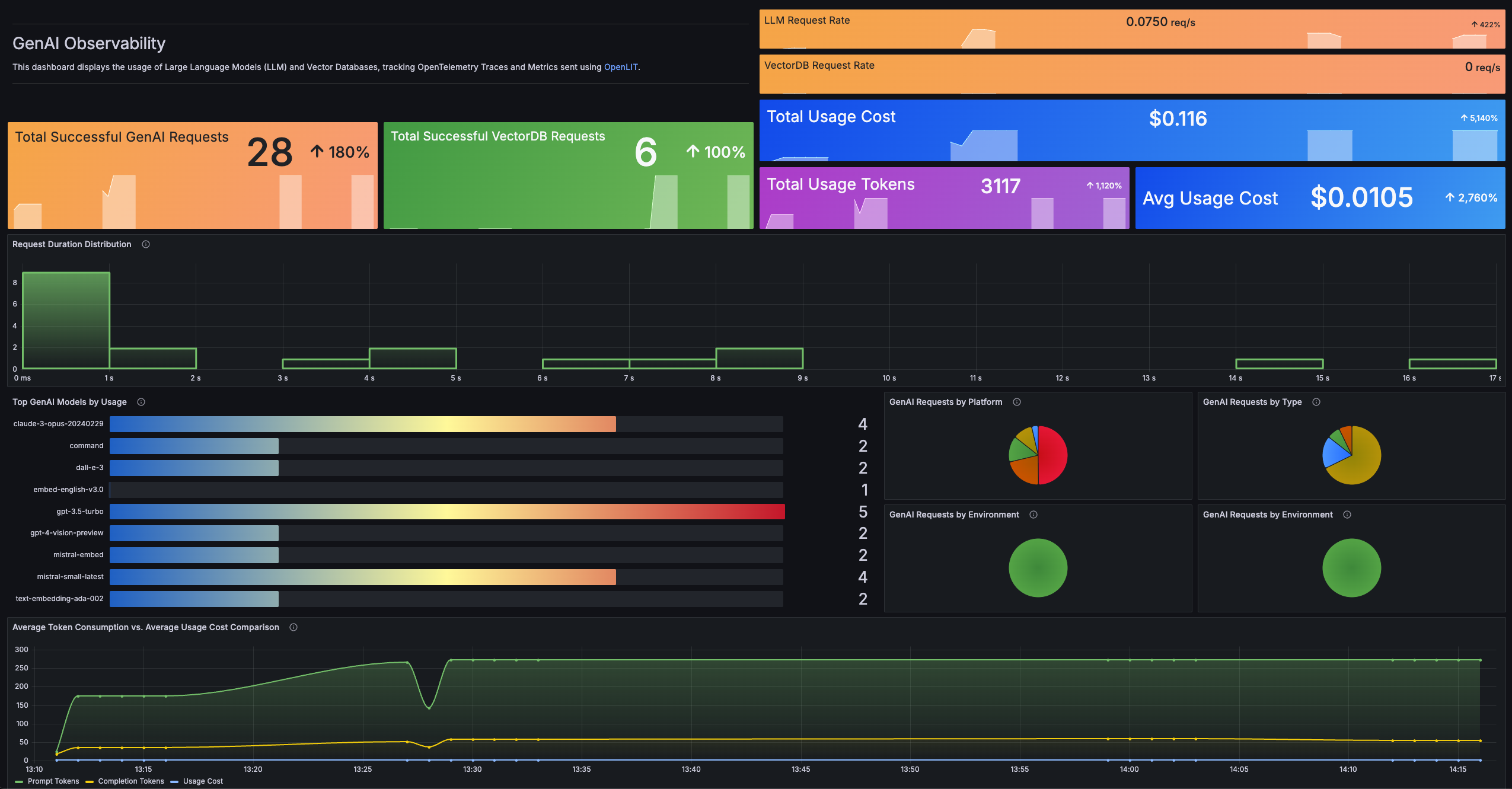
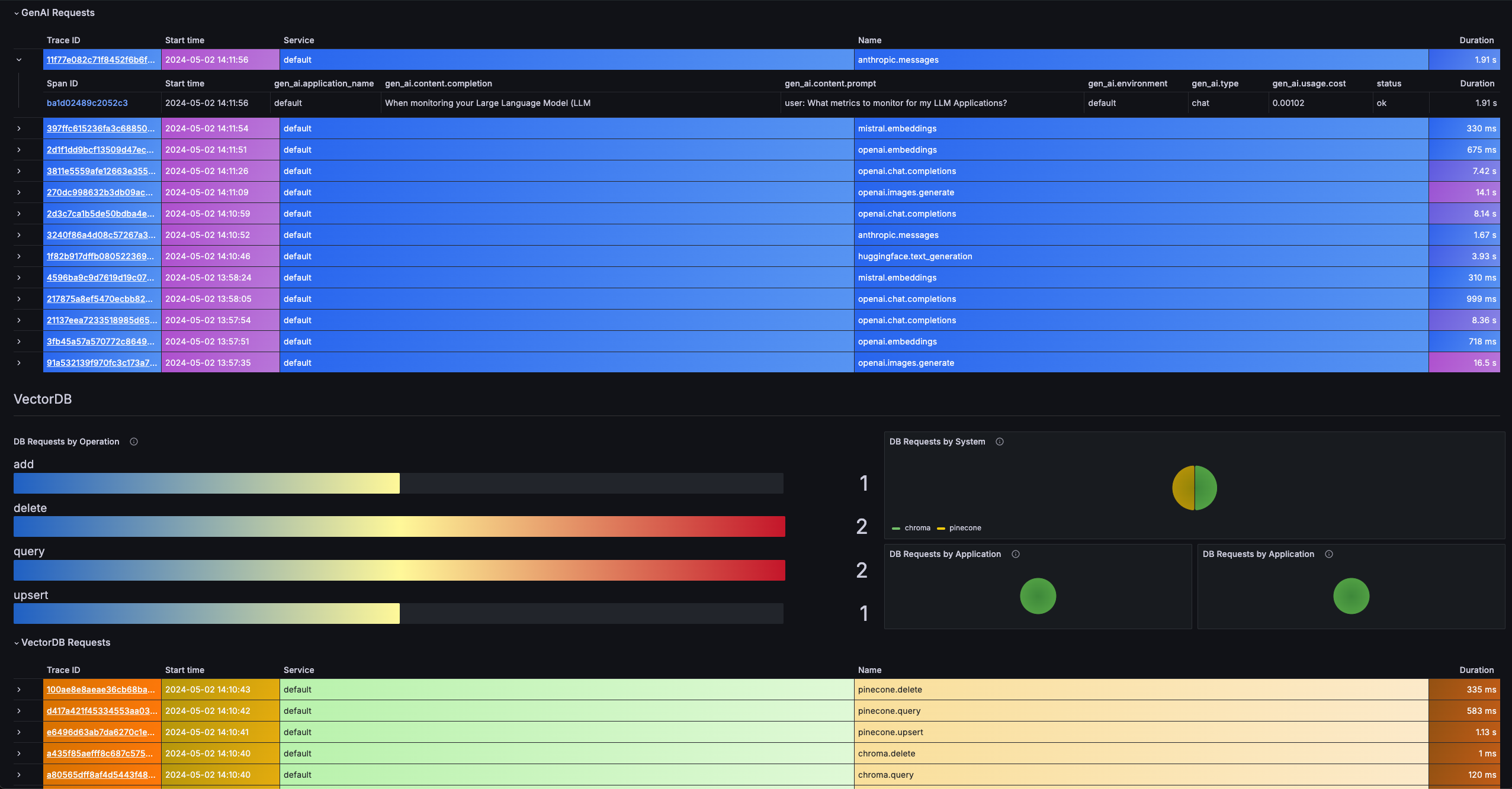 To directly send OpenTelemetry metrics and traces generated by OpenLIT from your AI Application to Grafana Cloud, follow the below steps.
### 1. Get your Credentials
1. Sign in to Grafana Cloud Portal and select your Grafana Cloud Stack.
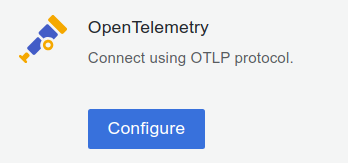
2. Click **Configure** in the OpenTelemetry section.
3. In the **Password / API Token** section, click on **Generate now** to create a new API token:
* Give the API token a name, for example `openlit`
* Click on **Create token**
* Click on **Close** without copying the token
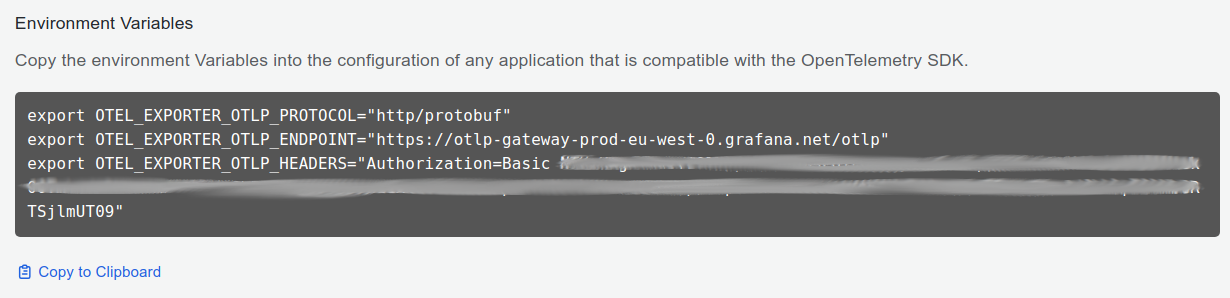
* Copy and Save the value for `OTEL_EXPORTER_OTLP_ENDPOINT` and `OTEL_EXPORTER_OTLP_HEADERS`
Replace the space after `Basic` with `%20`: OTEL\_EXPORTER\_OTLP\_HEADERS="Authorization=Basic%20\[base64 instanceID:token]"
### 2. Instrument your application
**For direct integration into your Python applications:**
```python theme={null}
import openlit
openlit.init(
otlp_endpoint="YOUR_GRAFANA_OTEL_GATEWAY_URL",
otlp_headers="YOUR_GRAFANA_OTEL_GATEWAY_AUTH"
)
```
Replace:
1. `YOUR_GRAFANA_OTEL_GATEWAY_URL` with the `OTEL_EXPORTER_OTLP_ENDPOINT` value you copied in Step 1.
* Example: `https://otlp-gateway-.grafana.net/otlp`
2. `YOUR_GRAFANA_OTEL_GATEWAY_AUTH` with the `OTEL_EXPORTER_OTLP_HEADERS` value you copied in Step 1.
* Example: `Authorization=Basic%20`
```python theme={null}
import openlit
openlit.init()
```
Set these environment variables:
```shell theme={null}
export OTEL_EXPORTER_OTLP_ENDPOINT="YOUR_GRAFANA_OTEL_GATEWAY_URL"
export OTEL_EXPORTER_OTLP_HEADERS="YOUR_GRAFANA_OTEL_GATEWAY_AUTH"
```
Replace:
1. `YOUR_GRAFANA_OTEL_GATEWAY_URL` with the `OTEL_EXPORTER_OTLP_ENDPOINT` value you copied in Step 1.
* Example: `https://otlp-gateway-.grafana.net/otlp`
2. `YOUR_GRAFANA_OTEL_GATEWAY_AUTH` with the `OTEL_EXPORTER_OTLP_HEADERS` value you copied in Step 1.
* Example: `Authorization=Basic%20`
Refer to the OpenLIT [Python SDK repository](https://github.com/openlit/openlit/tree/main/sdk/python) for more advanced configurations and use cases.
**For zero-code auto-instrumentation via command line:**
```shell theme={null}
# Using CLI arguments
openlit-instrument \
--otlp-endpoint "YOUR_GRAFANA_OTEL_GATEWAY_URL" \
--otlp-headers "YOUR_GRAFANA_OTEL_GATEWAY_AUTH" \
--service-name "my-ai-service" \
--deployment-environment "production" \
python app.py
```
Replace:
1. `YOUR_GRAFANA_OTEL_GATEWAY_URL` with the `OTEL_EXPORTER_OTLP_ENDPOINT` value you copied in Step 1.
* Example: `https://otlp-gateway-.grafana.net/otlp`
2. `YOUR_GRAFANA_OTEL_GATEWAY_AUTH` with the `OTEL_EXPORTER_OTLP_HEADERS` value you copied in Step 1.
* Example: `Authorization=Basic%20`
```shell theme={null}
# Set environment variables (takes precedence over CLI args)
export OTEL_EXPORTER_OTLP_ENDPOINT="YOUR_GRAFANA_OTEL_GATEWAY_URL"
export OTEL_EXPORTER_OTLP_HEADERS="YOUR_GRAFANA_OTEL_GATEWAY_AUTH"
export OTEL_SERVICE_NAME="my-ai-service"
export OTEL_DEPLOYMENT_ENVIRONMENT="production"
# Run your application
openlit-instrument python app.py
```
Replace:
1. `YOUR_GRAFANA_OTEL_GATEWAY_URL` with the `OTEL_EXPORTER_OTLP_ENDPOINT` value you copied in Step 1.
* Example: `https://otlp-gateway-.grafana.net/otlp`
2. `YOUR_GRAFANA_OTEL_GATEWAY_AUTH` with the `OTEL_EXPORTER_OTLP_HEADERS` value you copied in Step 1.
* Example: `Authorization=Basic%20`
Refer to the OpenLIT [Python SDK repository](https://github.com/openlit/openlit/tree/main/sdk/python) for more advanced configurations and use cases.
### 3. Import the pre-built Dashboard
1. Log into your Grafana Cloud Instance.
2. Click **Dashboards** in the primary menu.
3. Click **New** and select **Import** in the drop-down menu.
4. Copy the dashboard JSONs provided in the [offical Grafana AI Observability repository](https://github.com/grafana/grafana-aio11y-app/tree/main/mixin/genai-mixin/dashboards)
5. Paste the dashboard JSONs one by one directly into the text area.
6. Click **Import**.
7. Save the dashboard.
To directly send OpenTelemetry metrics and traces generated by OpenLIT from your AI Application to Grafana Cloud, follow the below steps.
### 1. Get your Credentials
1. Sign in to Grafana Cloud Portal and select your Grafana Cloud Stack.
2. Click **Configure** in the OpenTelemetry section.

3. In the **Password / API Token** section, click on **Generate now** to create a new API token:
* Give the API token a name, for example `openlit`
* Click on **Create token**
* Click on **Close** without copying the token
* Copy and Save the value for `OTEL_EXPORTER_OTLP_ENDPOINT` and `OTEL_EXPORTER_OTLP_HEADERS`
Replace the space after `Basic` with `%20`: OTEL\_EXPORTER\_OTLP\_HEADERS="Authorization=Basic%20\[base64 instanceID:token]"

### 2. Instrument your application
**For direct integration into your Python applications:**
```python theme={null}
import openlit
openlit.init(
otlp_endpoint="YOUR_GRAFANA_OTEL_GATEWAY_URL",
otlp_headers="YOUR_GRAFANA_OTEL_GATEWAY_AUTH"
)
```
Replace:
1. `YOUR_GRAFANA_OTEL_GATEWAY_URL` with the `OTEL_EXPORTER_OTLP_ENDPOINT` value you copied in Step 1.
* Example: `https://otlp-gateway-.grafana.net/otlp`
2. `YOUR_GRAFANA_OTEL_GATEWAY_AUTH` with the `OTEL_EXPORTER_OTLP_HEADERS` value you copied in Step 1.
* Example: `Authorization=Basic%20`
```python theme={null}
import openlit
openlit.init()
```
Set these environment variables:
```shell theme={null}
export OTEL_EXPORTER_OTLP_ENDPOINT="YOUR_GRAFANA_OTEL_GATEWAY_URL"
export OTEL_EXPORTER_OTLP_HEADERS="YOUR_GRAFANA_OTEL_GATEWAY_AUTH"
```
Replace:
1. `YOUR_GRAFANA_OTEL_GATEWAY_URL` with the `OTEL_EXPORTER_OTLP_ENDPOINT` value you copied in Step 1.
* Example: `https://otlp-gateway-.grafana.net/otlp`
2. `YOUR_GRAFANA_OTEL_GATEWAY_AUTH` with the `OTEL_EXPORTER_OTLP_HEADERS` value you copied in Step 1.
* Example: `Authorization=Basic%20`
Refer to the OpenLIT [Python SDK repository](https://github.com/openlit/openlit/tree/main/sdk/python) for more advanced configurations and use cases.
**For zero-code auto-instrumentation via command line:**
```shell theme={null}
# Using CLI arguments
openlit-instrument \
--otlp-endpoint "YOUR_GRAFANA_OTEL_GATEWAY_URL" \
--otlp-headers "YOUR_GRAFANA_OTEL_GATEWAY_AUTH" \
--service-name "my-ai-service" \
--deployment-environment "production" \
python app.py
```
Replace:
1. `YOUR_GRAFANA_OTEL_GATEWAY_URL` with the `OTEL_EXPORTER_OTLP_ENDPOINT` value you copied in Step 1.
* Example: `https://otlp-gateway-.grafana.net/otlp`
2. `YOUR_GRAFANA_OTEL_GATEWAY_AUTH` with the `OTEL_EXPORTER_OTLP_HEADERS` value you copied in Step 1.
* Example: `Authorization=Basic%20`
```shell theme={null}
# Set environment variables (takes precedence over CLI args)
export OTEL_EXPORTER_OTLP_ENDPOINT="YOUR_GRAFANA_OTEL_GATEWAY_URL"
export OTEL_EXPORTER_OTLP_HEADERS="YOUR_GRAFANA_OTEL_GATEWAY_AUTH"
export OTEL_SERVICE_NAME="my-ai-service"
export OTEL_DEPLOYMENT_ENVIRONMENT="production"
# Run your application
openlit-instrument python app.py
```
Replace:
1. `YOUR_GRAFANA_OTEL_GATEWAY_URL` with the `OTEL_EXPORTER_OTLP_ENDPOINT` value you copied in Step 1.
* Example: `https://otlp-gateway-.grafana.net/otlp`
2. `YOUR_GRAFANA_OTEL_GATEWAY_AUTH` with the `OTEL_EXPORTER_OTLP_HEADERS` value you copied in Step 1.
* Example: `Authorization=Basic%20`
Refer to the OpenLIT [Python SDK repository](https://github.com/openlit/openlit/tree/main/sdk/python) for more advanced configurations and use cases.
### 3. Import the pre-built Dashboard
1. Log into your Grafana Cloud Instance.
2. Click **Dashboards** in the primary menu.
3. Click **New** and select **Import** in the drop-down menu.
4. Copy the dashboard JSONs provided in the [offical Grafana AI Observability repository](https://github.com/grafana/grafana-aio11y-app/tree/main/mixin/genai-mixin/dashboards)
5. Paste the dashboard JSONs one by one directly into the text area.
6. Click **Import**.
7. Save the dashboard.