> ## Documentation Index
> Fetch the complete documentation index at: https://docs.openlit.io/llms.txt
> Use this file to discover all available pages before exploring further.
# Dash0
> LLM Observability with Dash0 and OpenLIT
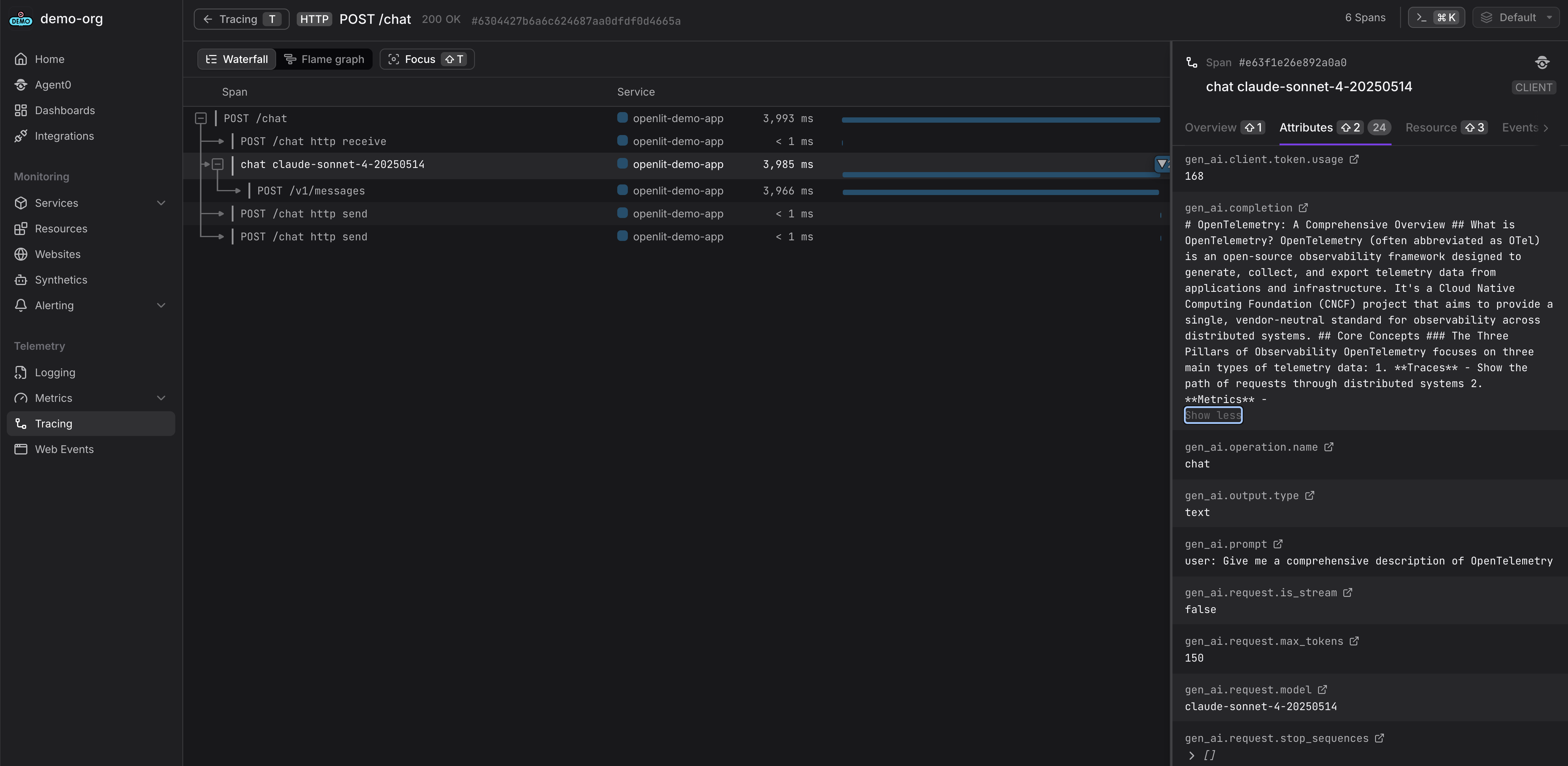
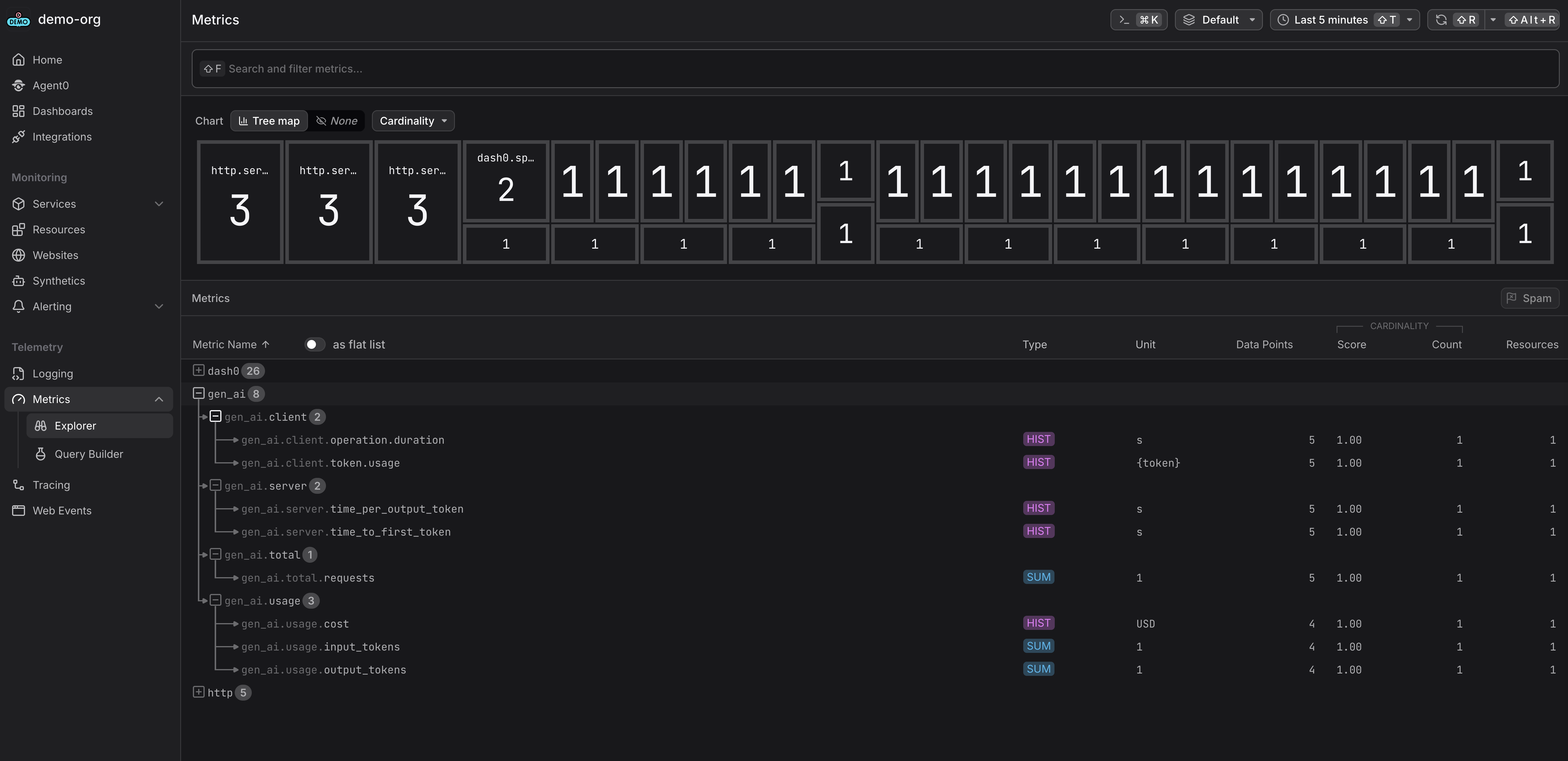 To send OpenTelemetry metrics and traces generated by OpenLIT from your AI Application to Dash0, follow the below steps.
### 1. Dash0 Setup
```mermaid theme={null}
graph LR
A[AI Application
To send OpenTelemetry metrics and traces generated by OpenLIT from your AI Application to Dash0, follow the below steps.
### 1. Dash0 Setup
```mermaid theme={null}
graph LR
A[AI Application
Instrumented by OpenLIT] --> B[OpenTelemetry Collector
or Dash0 OTLP Endpoint]
B --> C[Dash0]
```
**Prerequisites**: You'll need a Dash0 account and authorization token. [Sign up at dash0.com](https://www.dash0.com) for a 14-days free trial, if you don't have an account yet.
#### Get your Dash0 credentials
1. Log into your Dash0 account
2. Navigate to **Organization Settings** → **Auth Tokens**
3. Create a new token or copy an existing one
4. Note your Dash0 OTLP ingestion endpoint (e.g., `ingress.eu-west-1.aws.dash0.com:4318` for HTTP or `:4317` for gRPC)
5. Your token will be in the format `Bearer auth_xxxxx...`
You can send telemetry directly to Dash0's OTLP endpoint, or route it through an OpenTelemetry Collector for additional processing and filtering.
### 2. Instrument your application
**For direct integration into your Python applications:**
```python theme={null}
import openlit
openlit.init(
otlp_endpoint="https://ingress.eu-west-1.aws.dash0.com:4318",
otlp_headers={"Authorization": "Bearer auth_your_token_here"}
)
```
Replace:
1. `ingress.eu-west-1.aws.dash0.com:4318` with your Dash0 ingestion endpoint
2. `auth_your_token_here` with your Dash0 authorization token
```python theme={null}
import openlit
openlit.init()
```
Set these environment variables:
```shell theme={null}
export OTEL_EXPORTER_OTLP_ENDPOINT="https://ingress.eu-west-1.aws.dash0.com:4318"
export OTEL_EXPORTER_OTLP_HEADERS="Authorization=Bearer auth_your_token_here"
```
Replace:
1. `ingress.eu-west-1.aws.dash0.com:4318` with your Dash0 ingestion endpoint
2. `auth_your_token_here` with your Dash0 authorization token
Refer to the OpenLIT [Python SDK repository](https://github.com/openlit/openlit/tree/main/sdk/python) for more advanced configurations and use cases.
**For zero-code auto-instrumentation via command line:**
```shell theme={null}
# Using CLI arguments
openlit-instrument \
--otlp-endpoint "https://ingress.eu-west-1.aws.dash0.com:4318" \
--otlp-headers "Authorization=Bearer auth_your_token_here" \
--service-name "my-ai-service" \
--deployment-environment "production" \
python app.py
```
Replace:
1. `ingress.eu-west-1.aws.dash0.com:4318` with your Dash0 ingestion endpoint
2. `auth_your_token_here` with your Dash0 authorization token
```shell theme={null}
# Set environment variables (takes precedence over CLI args)
export OTEL_EXPORTER_OTLP_ENDPOINT="https://ingress.eu-west-1.aws.dash0.com:4318"
export OTEL_EXPORTER_OTLP_HEADERS="Authorization=Bearer auth_your_token_here"
export OTEL_SERVICE_NAME="my-ai-service"
export OTEL_DEPLOYMENT_ENVIRONMENT="production"
# Run your application
openlit-instrument python app.py
```
Replace:
1. `ingress.eu-west-1.aws.dash0.com:4318` with your Dash0 ingestion endpoint
2. `auth_your_token_here` with your Dash0 authorization token
Refer to the OpenLIT [Python SDK repository](https://github.com/openlit/openlit/tree/main/sdk/python) for more advanced configurations and use cases.
### 3. View your telemetry in Dash0
Once your AI application starts sending telemetry data, you can explore it in Dash0:
1. **Traces**: Navigate to Traces to view your AI application traces with LLM calls, prompts, completions, and token usage
2. **Services**: Check Services to monitor your AI service performance, error rates, and latency
3. **Metrics**: Explore metrics for token usage, costs, and AI-specific KPIs
4. **Dashboards**: Create custom dashboards to track token consumption, model performance, and business metrics
5. **Query**: Use PromQL-based queries to filter and analyze telemetry by model, token usage, or errors
Your OpenLIT-instrumented AI applications will appear automatically in Dash0 with comprehensive observability including LLM costs, token usage, model performance, and GPU metrics.