> ## Documentation Index
> Fetch the complete documentation index at: https://docs.openlit.io/llms.txt
> Use this file to discover all available pages before exploring further.
# OpenGround
> Test and compare different LLMs side-by-side based on performance, cost, and other key metrics
OpenGround enables developers to conduct side-by-side tests and comparisons of different Large Language Models (LLMs). By evaluating key factors such as performance and cost, OpenGround assists AI engineers and data scientists in selecting the most suitable LLM for their specific needs. Whether you're optimizing for efficiency, affordability, or other important metrics, OpenGround offers the tools you need to thoroughly assess various models efficiently.
## Features
* **Side-by-Side Comparison**: Simultaneously evaluate multiple LLMs to understand how they perform in real-time across various scenarios.
* **Performance Metrics**: Examine essential performance indicators like response time and token usage to gain deeper insights into each LLM's capabilities.
* **Response Comparison**: Compare the responses generated by different LLMs, assessing the quality, relevance, and appropriateness for specific tasks.
* **Cost Analysis**: Evaluate the cost implications of using different LLMs, helping you balance budget constraints with performance needs.
* **Intuitive Interface**: Use a user-friendly interface that simplifies the process of setting up tests, visualizing results, and making comparisons.
* **Comprehensive Reporting**: Generate detailed reports that compile and visualize comparison data, supporting informed decision-making.
## Get started
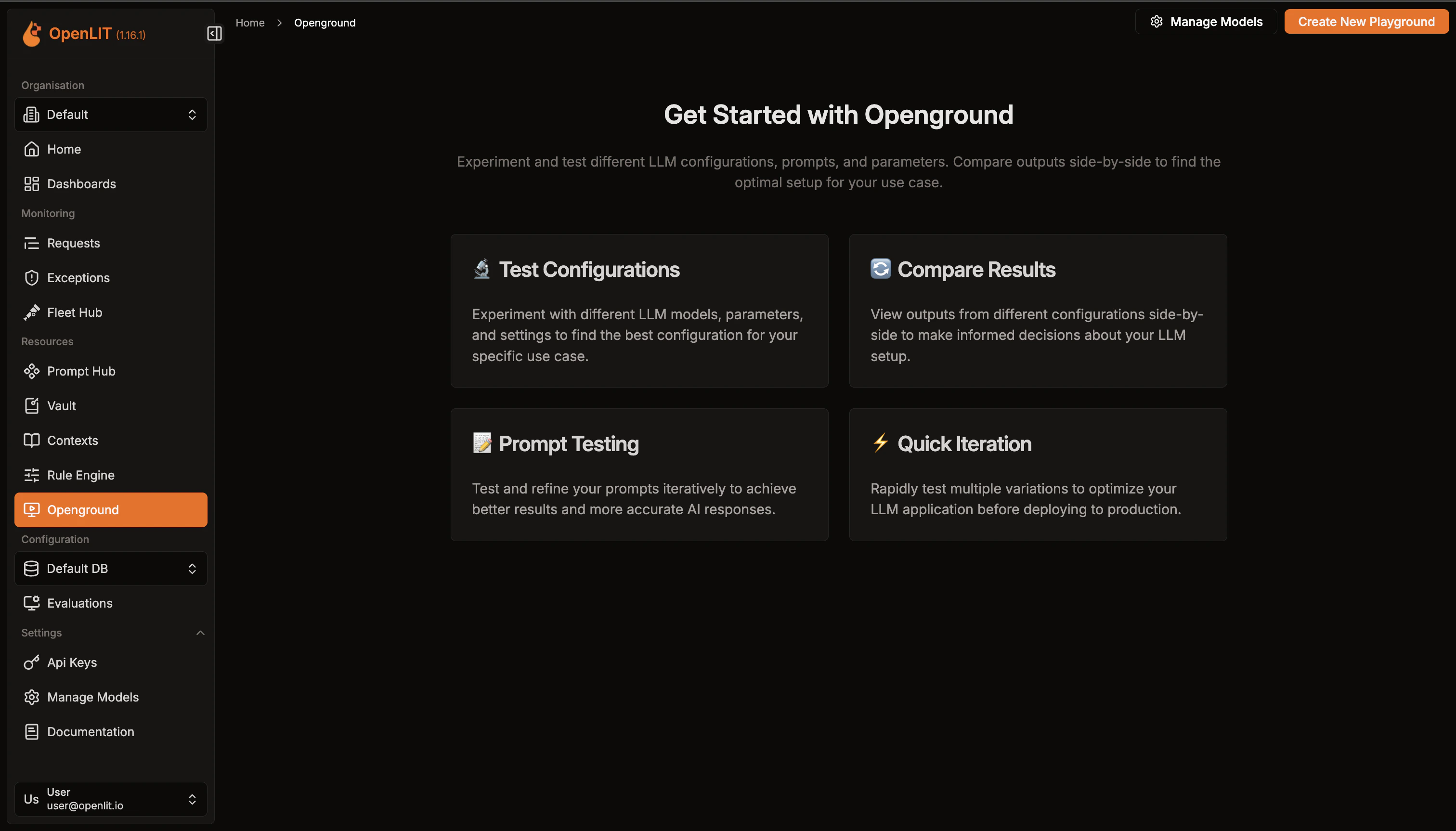
Get a quick overview of all experiments created.
1. Navigate to the **OpenGround** in OpenLIT.
2. Explore the previosly created experiments.
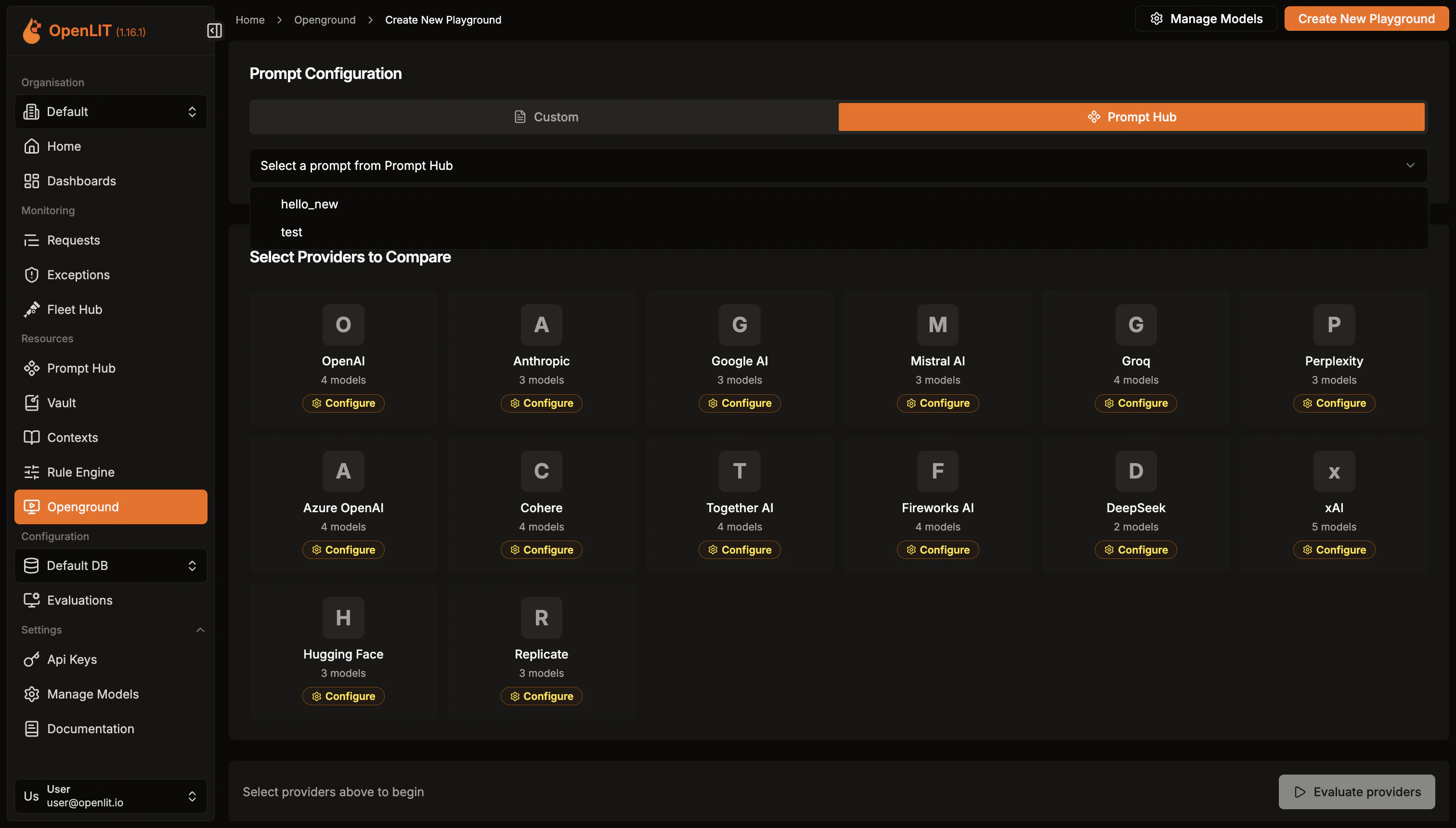
 Set up new experiments to compare different LLMs side-by-side.
1. Click on **Create new** button to start a new experiment.
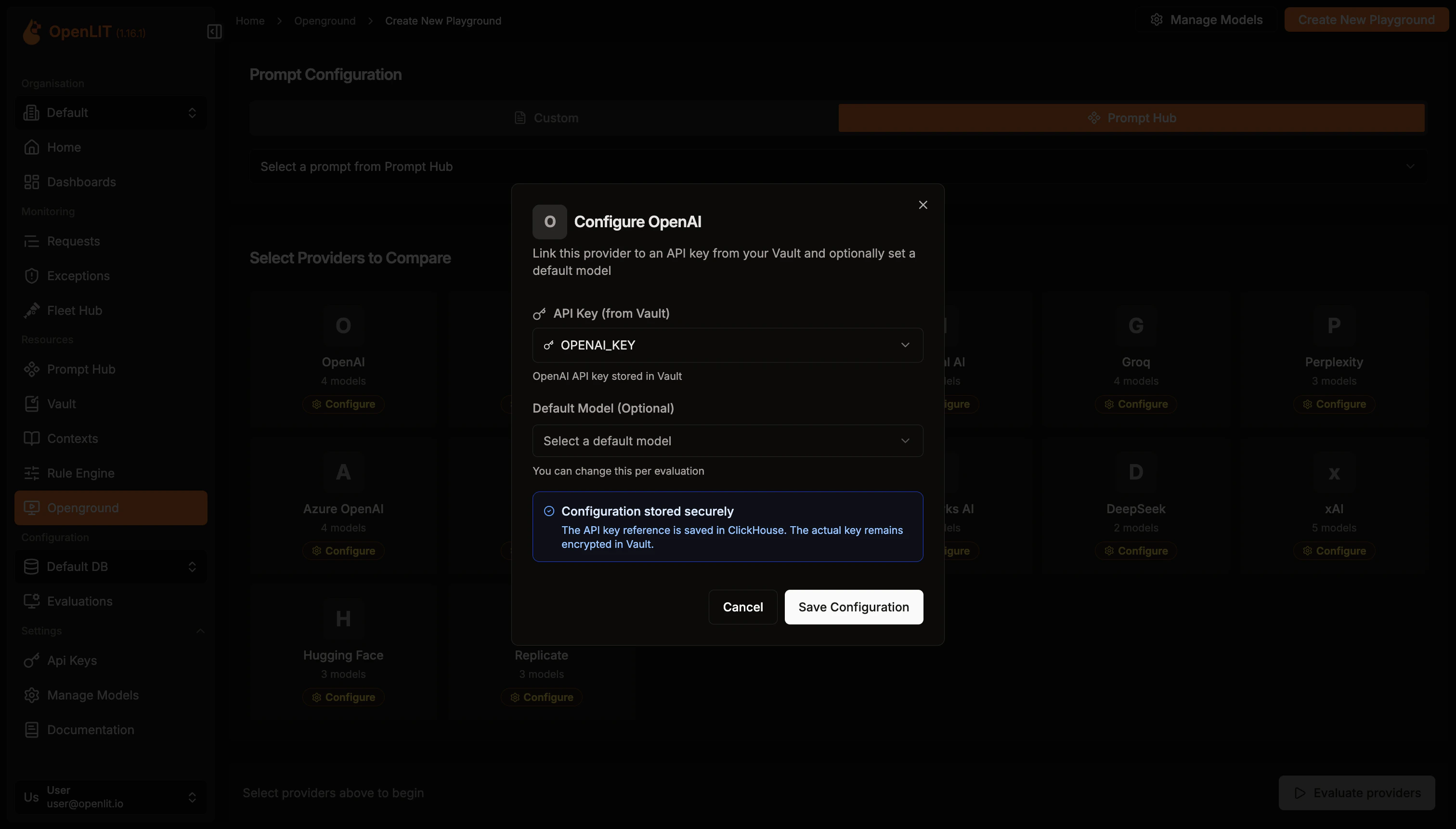
2. In the editor, choose your first LLM provider. Configure the LLM by setting its parameters and enter your API key to enable requests.
3. Repeat the process for your second LLM provider. Choose the provider and configure its LLM parameters.
4. Once both LLMs are set up, enter your prompt and click **Compare Response**.
5. Review and analyze the responses from both LLMs to see how they compare.
Set up new experiments to compare different LLMs side-by-side.
1. Click on **Create new** button to start a new experiment.
2. In the editor, choose your first LLM provider. Configure the LLM by setting its parameters and enter your API key to enable requests.
3. Repeat the process for your second LLM provider. Choose the provider and configure its LLM parameters.
4. Once both LLMs are set up, enter your prompt and click **Compare Response**.
5. Review and analyze the responses from both LLMs to see how they compare.
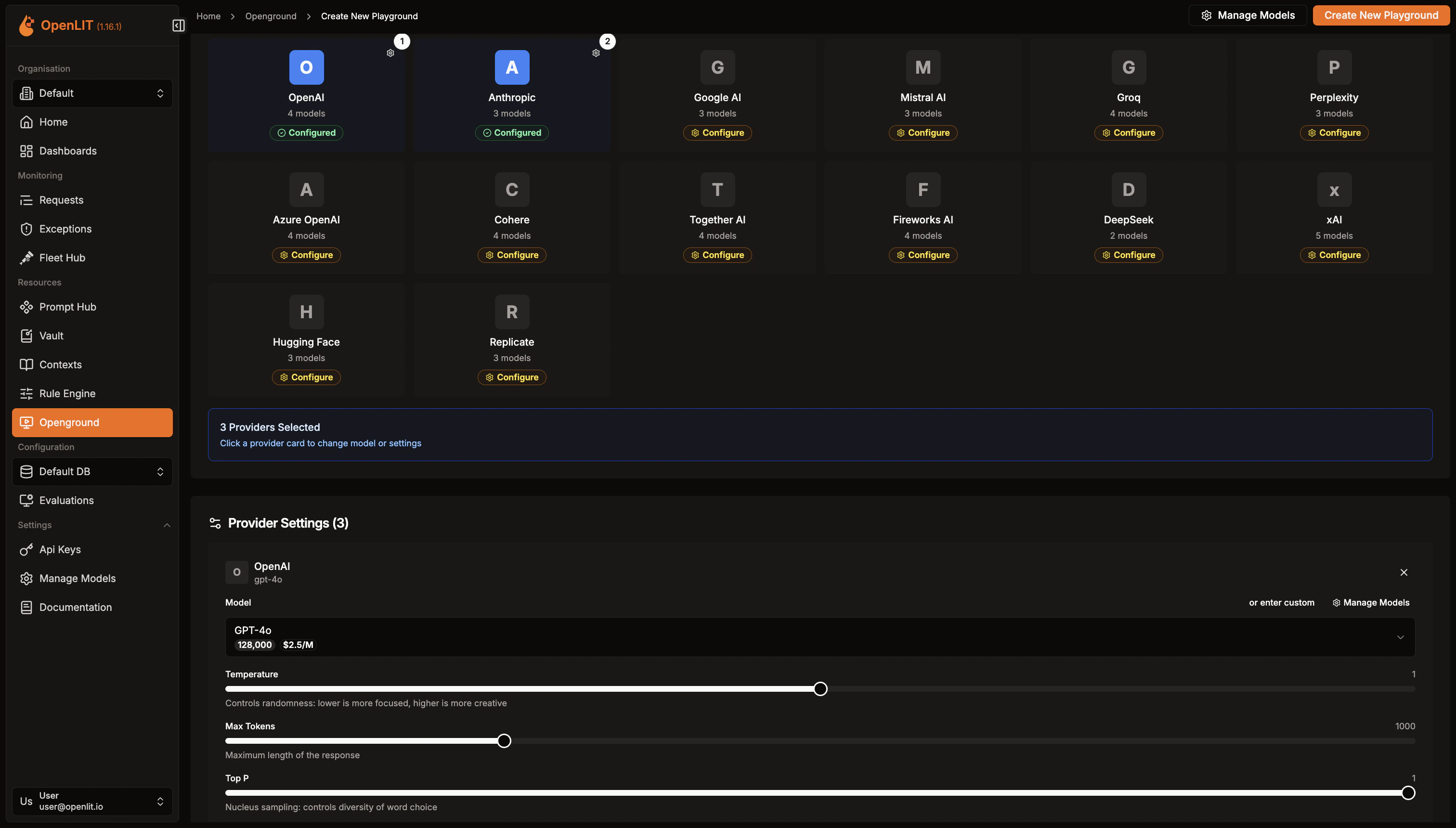
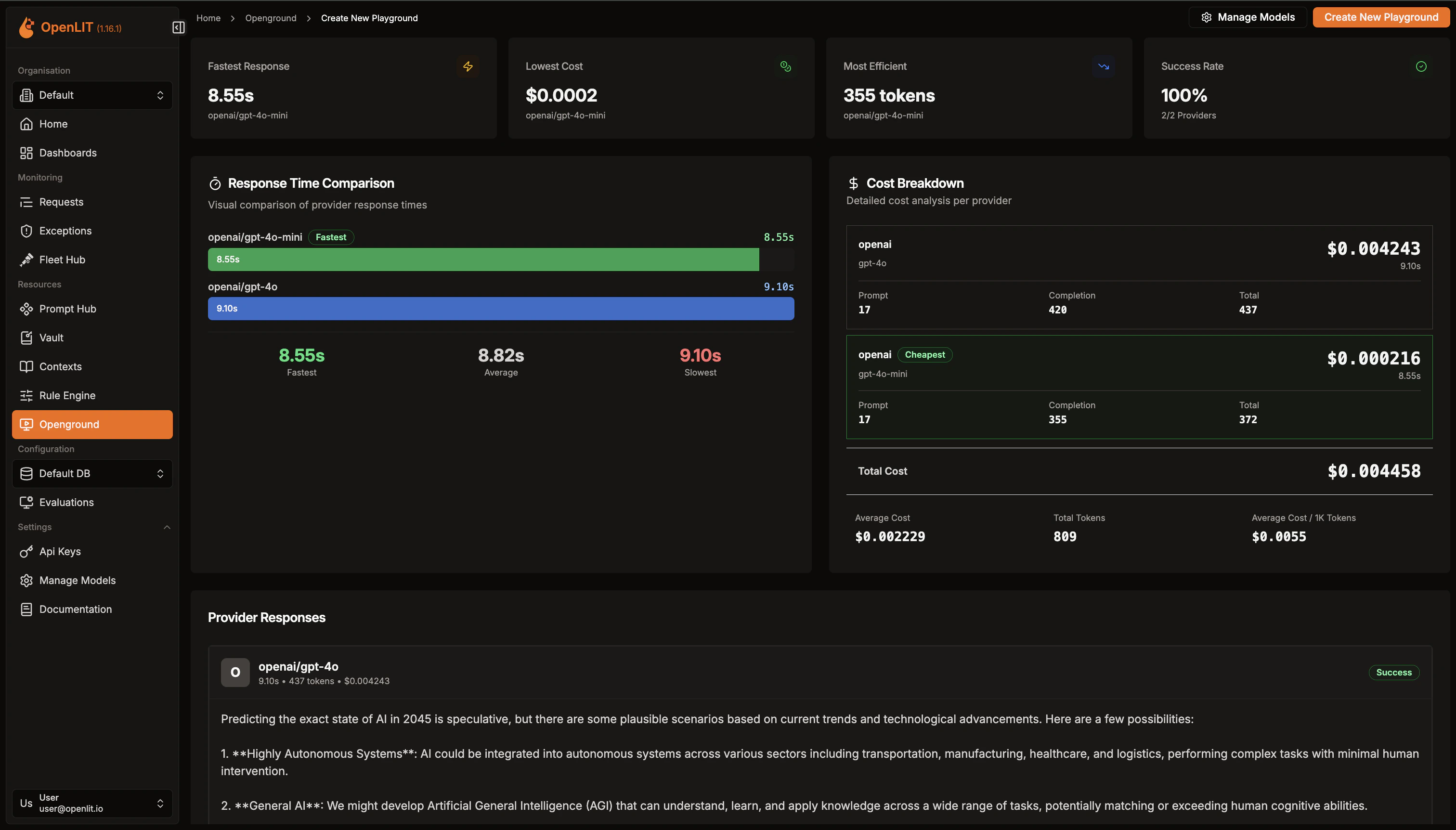 Once the experiment is creaetd, You can see information about the experiment along with details.
***
Centrally store LLM API keys that applications can retrieve remotely without restarts
Create custom visualizations with flexible widgets, queries, and real-time AI monitoring
Version, deploy, and collaborate on prompts with centralized management and tracking
Discover and instrument LLM traffic across Kubernetes, Docker, and Linux using eBPF — no code changes required.
Once the experiment is creaetd, You can see information about the experiment along with details.
***
Centrally store LLM API keys that applications can retrieve remotely without restarts
Create custom visualizations with flexible widgets, queries, and real-time AI monitoring
Version, deploy, and collaborate on prompts with centralized management and tracking
Discover and instrument LLM traffic across Kubernetes, Docker, and Linux using eBPF — no code changes required.